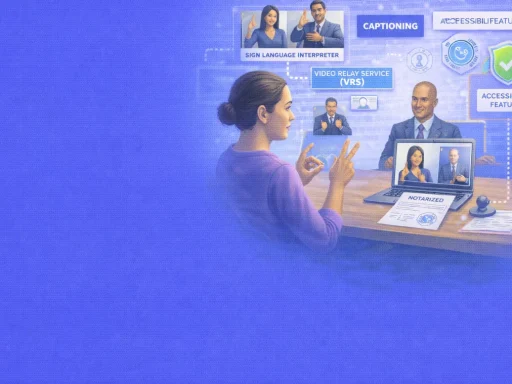
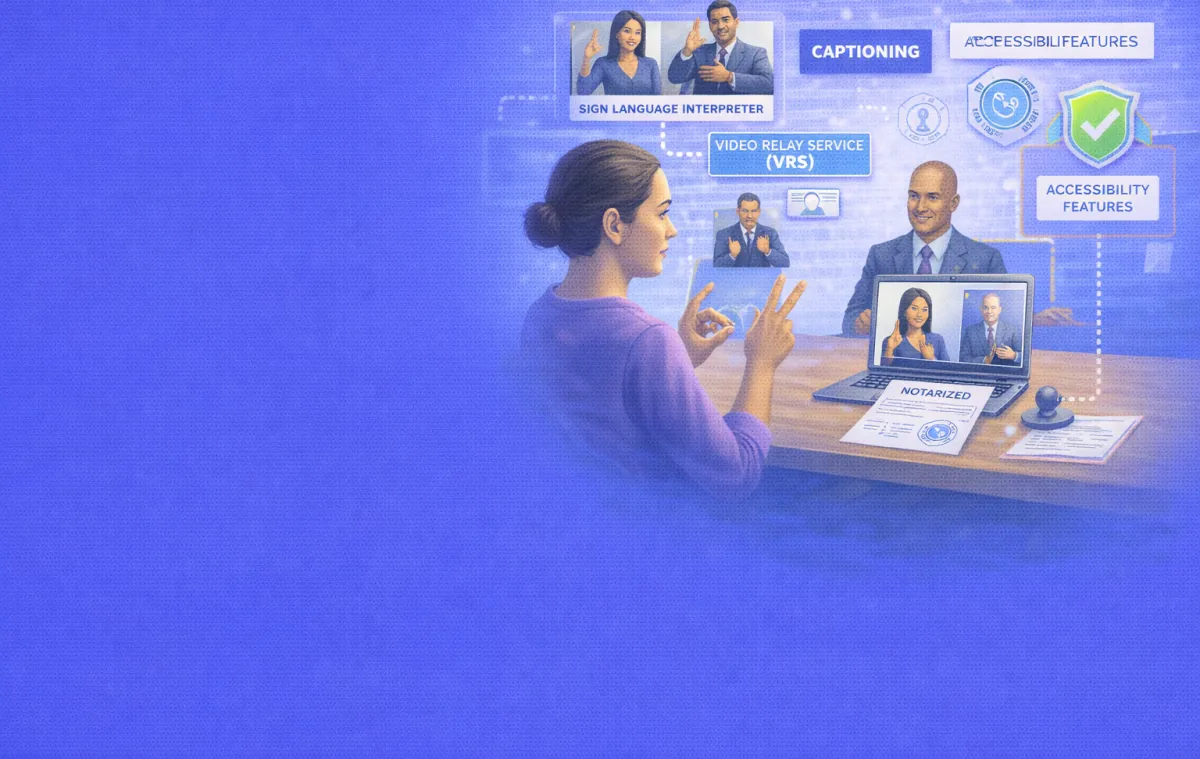

A Deaf woman needs to sign a power of attorney for her aging mother. She communicates fluently in American Sign Language but does not rely on spoken English. She finds a RON platform, uploads her document, and starts the process. Then the video session opens, and the notary begins speaking.
Without accommodations, this moment becomes a wall. The notary asks identity verification questions the signer cannot hear. The verbal oath — a legally required part of the notarial act — goes unheard. The notary watches for verbal confirmation of understanding and voluntariness, but the signer communicates in a completely different modality.
Roughly 15% of American adults (37.5 million people) report some degree of hearing difficulty, according to the National Institute on Deafness and Other Communication Disorders. About 0.9% of the U.S. population identifies as Deaf. For these individuals, accessing notarization services — especially through remote online platforms built around audio-visual communication — requires specific accommodations that most guides never address in detail.
The good news is that solutions exist. ASL interpreters, video relay services, video remote interpreting, real-time captioning, written communication methods, and platform accessibility features can all bridge the gap. The legal framework supports accommodation. And remote online notarization, despite its audio-centric design, may actually offer more flexibility for Deaf and hard of hearing signers than traditional in-person notarization in some situations.
This guide covers what the law requires, the communication options available during a RON session, how each accommodation method works in practice, what RON platforms should offer, and how Deaf and hard of hearing signers can prepare for a smooth notarization experience.
What the Law Requires
Two sets of legal requirements intersect when a Deaf or hard of hearing person seeks notarization. Notary law governs what the notary must do. The Americans with Disabilities Act governs what service providers must offer.
The Notary’s Communication Obligation
Every notarization requires the notary to communicate with the signer. The notary must verify identity, confirm the signer understands the document, and establish that the signer acts voluntarily. These steps involve a verbal ceremony — the notary asks specific questions, and the signer responds.
For an acknowledgment, the notary asks something like: “Do you acknowledge that this is your genuine signature and that you have executed this document voluntarily?” For an oath or affirmation, the wording is: “Do you solemnly swear (or affirm) that the contents of this document are true and correct?”
The American Association of Notaries confirms that when working with a signer who is hearing impaired, the notary must be able to communicate “either through sign language or other acceptable form of communication throughout the duration of the notarial ceremony.” Written questions and answers, nodding, and other affirmative gestures are acceptable alternatives to spoken responses.
Colorado law goes further. CRS 12-55-110.5 explicitly states that a notary may use “signals or electronic or mechanical means” to take an acknowledgment from, administer an oath to, or otherwise communicate with any individual. This statute directly authorizes the use of alternative communication methods for Deaf and hard of hearing signers.
Very few states have passed laws specifically addressing notarization procedures for Deaf signers. Most notary training programs do not cover the topic. But the underlying requirement is consistent everywhere: the notary and signer must achieve effective communication, regardless of how that communication happens.
ADA Requirements for Service Providers
Title III of the ADA requires businesses that serve the public — including notary services — to provide equal access to people with disabilities. This means providing auxiliary aids and services to ensure effective communication.
For Deaf and hard of hearing individuals, auxiliary aids and services include qualified sign language interpreters, oral interpreters, cued-speech interpreters, real-time captioning (also called CART — Communication Access Realtime Translation), written materials, note-takers, and video remote interpreting (VRI).
The ADA defines a “qualified” interpreter as someone who can interpret “effectively, accurately, and impartially, both receptively and expressively, using any necessary specialized vocabulary.” A family member or friend who knows some sign language does not automatically meet this standard.
Businesses cannot charge a surcharge for providing accommodations. Small businesses with $1 million or less in revenue or 30 or fewer full-time employees may claim a tax credit of up to $5,000 annually on IRS Form 8826 for eligible accessibility expenses. This credit covers 50% of eligible expenditures over $250, including the cost of sign language interpreters.
The ADA also requires businesses to consult with the person who has the communication disability about which aid or service is appropriate. The signer’s preference should receive primary consideration.
Communication Options During a RON Session
Remote online notarization sessions happen through live video. This visual medium creates both challenges and opportunities for Deaf and hard of hearing signers. Here are the communication methods that can work within a RON framework.
ASL Interpreter (In-Person or Remote)
An ASL interpreter joins the session and translates between the notary’s spoken English and the signer’s American Sign Language. The interpreter conveys the notary’s questions, the oath wording, and any instructions. The interpreter also voices what the signer signs, allowing the notary to understand the signer’s responses.
In an in-person notarization, the interpreter sits physically between the notary and the signer. In a RON session, the interpreter can join the video call as a third participant. This remote option eliminates the need to coordinate travel and scheduling for an in-person interpreter — a significant practical advantage.
Arizona law explicitly permits interpreters to participate remotely in RON sessions. In states that allow interpreters for in-person notarization, the same permission generally extends to RON. The interpreter appears on screen alongside the notary and the signer, and everyone communicates through the platform’s video technology.
When using an interpreter in a RON session, the signer should position their camera so the interpreter can clearly see their signing. Good lighting on the signer’s face and hands is essential. The interpreter needs to see facial expressions and hand shapes without obstruction.
Video Remote Interpreting (VRI)
VRI is a fee-based service that uses video conferencing to connect a remote ASL interpreter with the parties who need interpreting. Unlike Video Relay Service (which is designed for phone calls), VRI is designed for face-to-face interactions conducted remotely.
VRI works well for notarization because the interpreter can be pre-selected and briefed on the context. VRS interpreters, by contrast, are often assigned randomly and may not have context about the specific transaction. For a legal proceeding like notarization, where terminology and accuracy matter, VRI’s ability to match a specialized interpreter to the situation is an advantage.
San Francisco’s government website on accessible services highlights this distinction clearly: VRI can be “prearranged and tailored to specific situations,” while VRS interpreters “may not have specific knowledge about the context or content of the conversation.” For notarization, where the interpreter needs to handle legal terminology like acknowledgments, oaths, and affirmations, VRI is generally the better fit.
Video Relay Service (VRS)
VRS is a free, federally funded service that allows Deaf and hard of hearing people who use sign language to make phone calls through a video interpreter. The FCC oversees VRS, and providers like Sorenson, Convo, and others offer the service at no cost to the user.
During a VRS call, the Deaf person signs to the interpreter through a video link. The interpreter speaks to the hearing party on a regular phone connection. The hearing party speaks back, and the interpreter signs the response to the Deaf person.
VRS has some limitations for notarization. The service is designed for two-party phone calls, not three-way video conferences. Integrating VRS into a RON session — which already involves a video connection between the notary and the signer — can create technical complications. The interpreter on a VRS call also may not have any advance knowledge of the notarization context.
That said, VRS can work for the portions of the process that happen before and after the formal notarial act — scheduling, asking questions about the process, confirming document details, and following up afterward. Signers who use VRS regularly may find it comfortable and familiar for these interactions.
Real-Time Captioning (CART)
Communication Access Realtime Translation (CART) provides a live text transcript of everything spoken during a session. A trained captioner listens to the audio and types the words in real time. The text appears on the signer’s screen, allowing them to read what the notary is saying as it happens.
CART works well for hard of hearing individuals who are fluent in written English but do not use sign language. Many people who lost their hearing later in life fall into this category. They can read the captioning and respond verbally or in writing.
For RON sessions, CART can be delivered remotely. The captioner connects to the audio feed and types the transcript, which appears in a text window on the signer’s device. Some video conferencing platforms also offer automated captioning, though the accuracy of automated captions is significantly lower than live human captioning, especially for legal terminology.
Written Communication
For straightforward notarizations, written communication may suffice. The notary types questions on screen or displays pre-written prompts, and the signer responds in writing through the platform’s chat function or by holding up written answers to the camera.
One Colorado notary resource provides a practical list of numbered sentences that notaries can use to communicate with Deaf or hard of hearing signers. These include prompts like: “Do you understand the purpose of this document?” “Are you signing this document voluntarily?” and “Do you acknowledge that this is your signature?” The notary points to or displays the relevant sentence, and the signer responds.
Written communication has limits. Complex transactions that require extended explanation may not work well through writing alone. The back-and-forth can be slow and frustrating for both parties. Written exchanges also miss the nuance that sign language provides — facial expressions, emphasis, and emotional context that help the notary assess willingness and understanding.
For simple documents like a single-page affidavit or a straightforward acknowledgment, written communication may be perfectly adequate. For complex loan packages, estate planning documents, or any transaction where understanding the details matters deeply, an interpreter is the stronger choice.
What RON Platforms Should Offer
Not all RON platforms are equally accessible. Deaf and hard of hearing signers should evaluate platforms based on specific accessibility features before choosing where to notarize their documents.
Multi-Party Video Support
The platform must allow more than two participants in the video session. If an ASL interpreter or VRI provider joins the call, the platform needs to support at least three video feeds — the signer, the notary, and the interpreter. Some platforms limit sessions to two participants, which makes interpreter participation impossible.
Chat and Text Functionality
A built-in chat or text feature allows the notary and signer to exchange written messages during the session. This serves as a backup communication channel when audio is not an option. The chat should be visible alongside the video feed, not in a separate window that requires the signer to look away from the interpreter or notary.
Screen Sharing and Document Display
The ability to display the document on screen and point to specific sections helps the notary guide the signer through the signing process visually. Combined with an interpreter or captioning, screen sharing ensures the signer can see both the document and the communication aid simultaneously.
Caption Support
Platforms that support real-time captioning — whether through built-in automated captioning or integration with a remote CART provider — give hard of hearing users an additional way to follow the conversation. Automated captions generated by AI have improved dramatically in recent years but still make errors, especially with proper nouns and legal terms. Live human captioning is more accurate for legal proceedings.
Adjustable Video Layout
Deaf signers who use an interpreter need to see both the interpreter and the document at the same time. A platform that lets the user resize, rearrange, or pin specific video feeds gives the signer more control over their viewing experience. A fixed, small-window layout may make it impossible to see the interpreter’s signs clearly.
How to Prepare for a Notarization as a Deaf or Hard of Hearing Signer
Preparation makes the difference between a smooth session and a frustrating one. These steps help Deaf and hard of hearing signers get ready.
Tell the Notary or Platform in Advance
Contact the RON platform or notary before the session and explain your communication needs. Specify whether you use ASL, written English, lip reading, CART, or another method. Ask whether the platform supports the accommodation you need. Give the platform enough lead time to arrange an interpreter or captioner if needed.
Do not assume the platform will automatically know. The ADA requires the service provider to consult with you about the appropriate accommodation, but they cannot consult if they do not know about your needs. Early communication prevents surprises.
Arrange the Interpreter Early
If you need an ASL interpreter, book them well before the session. Qualified interpreters with legal experience are in high demand. Give the interpreter advance information about the type of document, the notarial act required, and any specialized terminology involved. A prepared interpreter provides more accurate and fluid communication.
If you want to use VRI, contact the VRI provider and confirm they can join the specific RON platform the notary uses. Technical compatibility matters — the VRI service and the RON platform must work together seamlessly.
Optimize Your Technology Setup
Good video quality is essential for sign language communication. Use a device with a high-quality camera. Position yourself in a well-lit area with the light facing you, not behind you. A plain, non-distracting background helps the interpreter see your signs clearly.
Test your internet speed. Sign language video requires higher bandwidth than a standard voice call because the visual detail matters. Choppy or pixelated video makes signs unreadable. A wired ethernet connection is more reliable than Wi-Fi for this purpose.
If you use CART, make sure your screen is large enough to display the caption text and the video feed at the same time. A laptop or desktop monitor works better than a phone for this.
Review the Document Beforehand
Read the document thoroughly before the session begins. If you have questions about the content, address them with your attorney before the notarization appointment. The notary cannot explain the document’s legal meaning — that would be the unauthorized practice of law. Coming into the session with a clear understanding of what you are signing allows the notarial act to proceed smoothly.
What No Other Guide Covers: The Oath Accommodation Gap
Nearly every guide about notarization for Deaf signers mentions the need for communication accommodations. Almost none address the specific challenge that the verbal oath presents — and why it requires more thoughtful handling than most notaries realize.
Why the Oath Creates a Unique Problem
The verbal ceremony is the legal heart of a notarization. For a jurat (sworn statement), the notary administers an oath: “Do you solemnly swear that the contents of this document are true and correct?” The signer must respond affirmatively. This exchange gives the document its legal weight.
For hearing signers, this takes seconds. The notary speaks, the signer says “I do” or “Yes,” and the ceremony is complete.
For a Deaf signer using an interpreter, the oath must be interpreted into ASL. The concept of “solemnly swearing” carries cultural and linguistic nuance that does not translate word-for-word. A skilled interpreter conveys the gravity and legal meaning of the oath, not just the literal words. The signer’s affirmative response in ASL — which might be a firm nod, a signed “Yes,” or a specific ASL affirmation — must then be recognized by the notary as a valid response.
For a Deaf signer communicating through writing, the notary must present the oath in written form and accept a written affirmative response. This works, but it changes the dynamic. A written “Yes” on a screen does not carry the same observable weight as a spoken oath witnessed in real time. If the notarization is later challenged, the notary must be able to describe how the oath was administered and how the signer responded.
How to Handle It Properly
The notary should document the accommodation method in their journal. Record that the oath was administered through an ASL interpreter (with the interpreter’s name and credentials) or through written communication. Note how the signer responded. This documentation creates a record that supports the validity of the notarization if questions arise later.
For RON sessions, the audio-visual recording captures the entire exchange. This is actually an advantage — the recording shows exactly how the oath was administered and how the signer responded, whether through an interpreter, written text, or visual affirmation. A traditional in-person notarization with a Deaf signer produces no such record.
Notaries should also be aware that an affirmation is an alternative to an oath. Some Deaf signers may prefer an affirmation (“Do you affirm that the contents of this document are true and correct?”) which removes the “swearing” language. An affirmation carries the same legal weight as an oath.
Rights and Protections for Deaf and Hard of Hearing Signers
Knowing your rights empowers you to advocate for the accommodations you need.
You Cannot Be Turned Away
A notary or RON platform cannot refuse to serve you because you are Deaf or hard of hearing. Under ADA Title III, businesses that serve the public must provide reasonable accommodations. Refusing to serve a Deaf signer because of communication challenges violates federal law.
If a notary does not know sign language and no interpreter is available for that session, the appropriate response is to reschedule and arrange accommodations — not to refuse service entirely.
You Cannot Be Charged Extra
The ADA prohibits surcharges for disability accommodations. A notary or platform cannot add a fee to cover the cost of an interpreter, captioner, or other accommodation. The cost of providing effective communication is a business expense, not the signer’s responsibility.
Your Preference Matters
Under ADA regulations, the service provider should give “primary consideration” to the accommodation method the Deaf or hard of hearing person requests. If you communicate best through ASL, the provider should arrange an ASL interpreter rather than insisting on written communication. If you prefer CART, the provider should accommodate that preference.
The provider can propose an alternative only if the requested accommodation would create an “undue burden” (significant difficulty or expense relative to the business’s overall resources) or would “fundamentally alter” the nature of the service. For most notarization services, providing an interpreter or captioner does not meet either threshold.
You Can File a Complaint
If a notary or RON platform denies you service or refuses to provide reasonable accommodations, you can file a complaint with the U.S. Department of Justice. ADA Title III complaints have no filing deadline, though prompt reporting is recommended. You can also file a lawsuit in state or federal court.
The National Association of the Deaf (nad.org) provides resources and guidance on asserting your rights under the ADA.
Frequently Asked Questions
Can a Deaf person use remote online notarization?
Yes. RON sessions happen through live video, which supports visual communication methods like ASL interpreting, written exchanges, and captioning. In some ways, RON may offer more flexibility than in-person notarization because remote interpreters can join the session from anywhere, eliminating the need to find a local interpreter.
Does the notary need to know sign language?
No. The notary needs to achieve effective communication with the signer, but they do not need to know ASL personally. An ASL interpreter, written communication, VRI, or CART can bridge the gap. Colorado law explicitly allows notaries to use “signals or electronic or mechanical means” to communicate.
Who pays for the ASL interpreter during a notarization?
Under the ADA, the service provider (the notary or RON platform) cannot charge the Deaf signer a surcharge for the interpreter. The cost is a business expense. Small businesses may claim a tax credit of up to $5,000 annually on IRS Form 8826 for eligible accessibility expenditures, including interpreter costs.
Can I use Video Relay Service (VRS) for a RON session?
VRS can work for portions of the process, such as scheduling and pre-session communication. However, VRS is designed for phone calls, not multi-party video conferences. Video Remote Interpreting (VRI) is generally a better fit for the RON session itself because the interpreter can be pre-selected, briefed on the context, and integrated into the video platform.
What if the RON platform does not support an interpreter joining the session?
If the platform limits the video session to two participants (notary and signer only), it cannot accommodate a third-party interpreter. Choose a platform that supports multi-party video sessions. If no accessible platform is available, request an in-person notarization with an interpreter present, or contact the platform to request an accommodation under the ADA.
Can I use automated captions instead of a live captioner?
Automated captions have improved but still make errors, especially with legal terminology like “acknowledgment,” “jurat,” proper names, and specific document titles. For a legal proceeding like notarization, live human captioning (CART) provides significantly higher accuracy. If automated captions are your only option, ask the notary to also display key questions in the chat for written confirmation.
How should the notary administer the oath to a Deaf signer?
The notary can administer the oath through an ASL interpreter, through written text displayed on screen, or through any other method that achieves effective communication. The signer can respond with a signed affirmation in ASL, a written “Yes,” or a clear physical gesture like a firm nod. The notary should document the method used in their journal and, for RON, the audio-visual recording will capture the exchange.
What documentation should the notary keep about accommodations provided?
The notary should record in their journal the type of accommodation used (ASL interpreter, CART, written communication), the name and credentials of any interpreter, and how the signer responded to the oath or acknowledgment. For RON sessions, the recorded video serves as additional evidence of how the accommodation was provided and that effective communication occurred.
Conclusion:
Deaf and hard of hearing signers deserve full, equal access to notarization services. The legal framework supports this — the ADA requires effective communication, and notary law allows alternative methods for administering oaths and verifying understanding. The technology to make it work already exists.
Remote online notarization, despite its audio-centric design, can actually expand access for Deaf signers. It brings remote ASL interpreters into the session without requiring travel. It creates a recorded video of the entire interaction, providing stronger evidence of accommodation than most in-person notarizations offer. And it gives signers the flexibility to notarize documents from home, where their lighting, camera setup, and internet connection are under their control.
The key is preparation. Tell the platform about your needs in advance. Arrange the right interpreter or captioner. Test your technology. Review the document beforehand. And know your rights — you cannot be turned away, you cannot be charged extra, and your preference for accommodation method matters.
For a RON platform that supports accessible document signing with multi-party video sessions and flexible communication options, BlueNotary provides remote online notarization tools designed to serve all signers.