

Need to sign a PDF securely? It’s about more than just pasting an image of your signature. True security comes from a certificate-based digital ID, which creates a unique, encrypted seal on your document. It’s a tamper-proof way to prove you signed it, and platforms like BlueNotary are making this level of security accessible for professionals who need absolute legal validity.
Your Guide to Adding a Digital Signature to a PDF
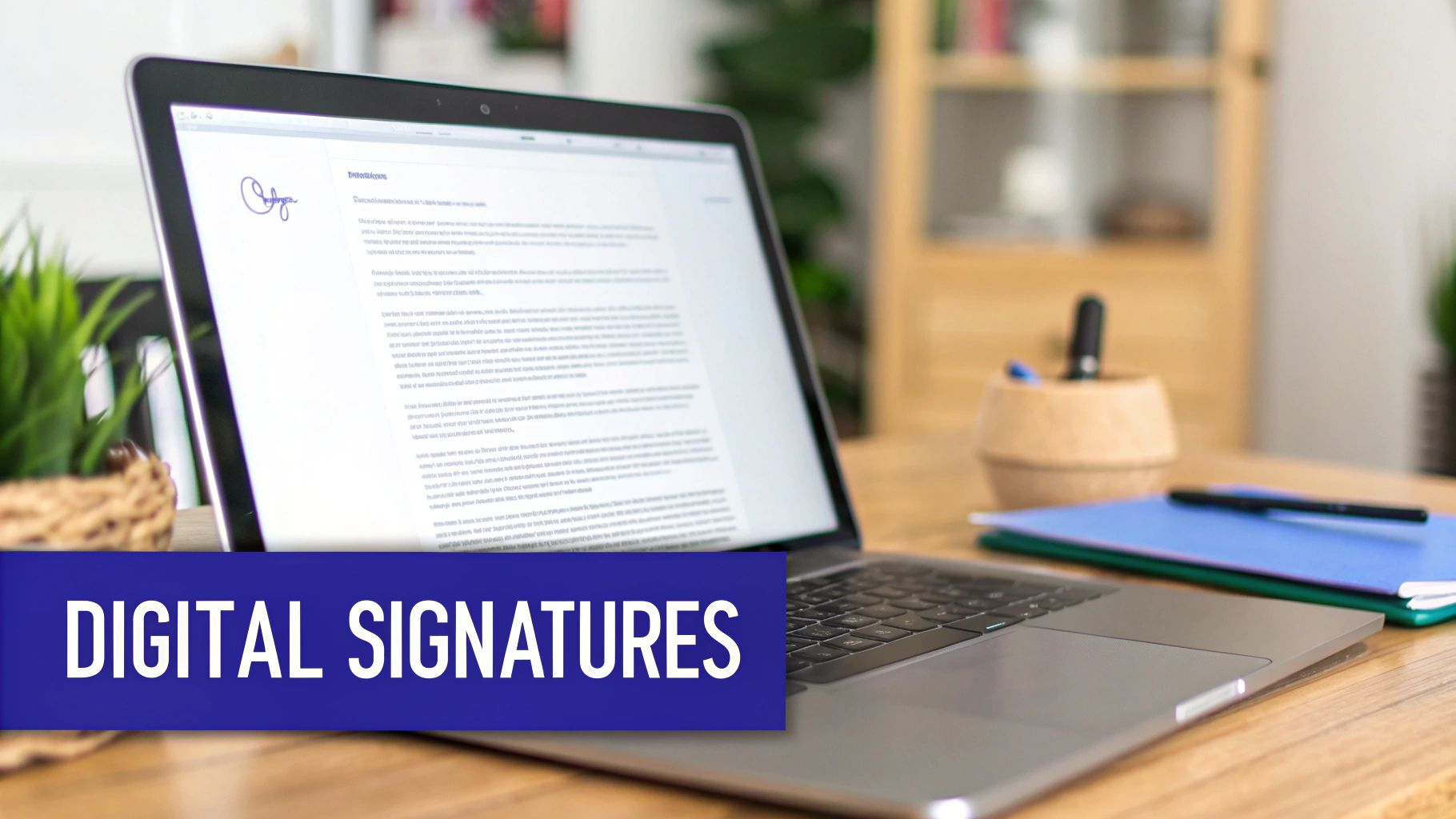
Let’s be honest, printing, signing, and scanning documents feels ancient. The move away from wet ink signatures isn’t just a trend anymore; it’s a core part of modern business. Learning how to add a digital signature to a PDF is key to keeping work flowing, authenticating signers, and creating legally binding agreements from anywhere in the world.
It’s easy to get confused, but a “digital signature” is a specific, highly secure type of e-signature—not just a typed name or a picture of your John Hancock.
This guide will break it all down. We’ll get into the technology that makes it work, compare different ways to sign, and make sure your documents are locked down and compliant.
The Surge in Demand for Secure Digital Signing
The push for secure, verifiable documents is happening everywhere. You can see it in the explosive growth of the market itself. The global digital signature market hit USD 8.65 billion in 2024 and is on track to reach an astounding USD 238.42 billion by 2034.
What’s driving this? Everything from the need for faster electronic workflows to tough government regulations and the simple convenience of signing on a phone. In North America, which makes up 46% of the market, laws like the ESIGN Act give digital signatures the same legal weight as handwritten ones, solidifying their place in business. For a deep dive into these numbers, check out the full analysis on Precedence Research.
At its heart, a digital signature isn’t just about the act of signing. It’s about creating a permanent, verifiable seal that cryptographically binds your identity to the document. Any change made after it’s signed is immediately obvious.
Digital Signatures vs Electronic Signatures at a Glance
People often use these terms interchangeably, but in the world of legal and secure documents, they are worlds apart. An electronic signature is a broad category, while a digital signature is a specific, technology-driven implementation.
Here’s a quick breakdown of what sets them apart.
| Feature | Electronic Signature (E-Signature) | Digital Signature |
|---|---|---|
| Technology | Simple electronic representation of intent (typed name, scanned image, clicked “I Agree”). | Uses Public Key Infrastructure (PKI) with a unique, encrypted digital certificate. |
| Security | Varies widely; often relies on basic email verification and audit trails. | High-level cryptographic security that makes the document tamper-evident. |
| Verification | Proves intent to sign but may not strongly verify the signer’s identity. | Verifies the signer’s identity through a trusted Certificate Authority (CA). |
| Legal Standing | Generally accepted for many agreements (e.g., E-SIGN Act in the US). | Considered the gold standard, offering the highest level of legal assurance. |
| Example | Typing your name at the bottom of an email or using a simple e-sign tool. | Signing a legal affidavit or a high-value contract using a certificate-based ID. |
Ultimately, while any e-signature shows you intended to sign, a digital signature proves who you are and that the document hasn’t been touched since you signed it.
Why This Matters for Professionals
If you work in law, finance, or real estate, you know the integrity of a document is everything. The difference between a simple e-signature and a secure digital one can make or break a contract.
A true digital signature delivers three critical assurances:
- Authentication: It proves who signed the document, because their identity is tied to a trusted digital ID.
- Integrity: It guarantees the document hasn’t been altered since the moment it was signed.
- Non-repudiation: The signer can’t credibly deny their signature later on.
Grasping these concepts is the first step toward protecting your agreements. While you can always whip up a quick visual signature with an online signature generator, the methods we’ll cover are about the cryptographic muscle needed for official, high-stakes documents.
So, What Really Makes a Digital Signature Secure?
When you digitally sign a PDF, you’re not just pasting an image of your signature. You’re actually embedding a sophisticated cryptographic seal. Think of it as a digital fingerprint that permanently ties your identity to that specific version of the document. This robust security is all thanks to a system called Public Key Infrastructure (PKI).
Let’s break it down with a simple analogy: PKI is like having a special lock and key set that’s unique to you. You get two keys that are mathematically tied together—a private key and a public key.
Your private key is top-secret. You keep it safe on your computer or a secure hardware token, and it’s what you use to actually create the signature. The public key, on the other hand, is meant to be shared. Anyone can use it to confirm that a signature came from you and only you.
This two-key setup is brilliant. When you sign a document, your private key encrypts a unique piece of data related to that file. The only thing that can decrypt it is your corresponding public key. If the decryption works, it’s a mathematical certainty that your private key—and therefore, you—created the signature.
The Role of Certificate Authorities
Of course, this all hinges on one crucial thing: how do you trust that a public key actually belongs to the person it says it does? That’s where a Certificate Authority (CA) steps in.
A CA is a highly trusted third party that acts like a digital passport office. Their job is to rigorously verify someone’s identity before issuing them a digital certificate.
This certificate is your official stamp of approval online. It bundles together key information:
- Your name and company
- Your public key
- The certificate’s expiration date
- The name of the issuing CA
When you get a digital signature from a trusted provider, you’re benefiting from the CA’s strict identity-proofing process. For anyone receiving your signed document, this is how they know you are who you say you are. Platforms have to perform incredibly robust online https://bluenotaryonline.com/identity-verification/ to meet these standards. This independent validation is what gives a digital signature its legal weight, separating it from a simple electronic signature you might draw with your mouse.
How Hashes Guarantee Document Integrity
There’s one final piece to this security puzzle: the cryptographic hash function.
Before your signature is even applied, the software scans the entire PDF and runs it through a special algorithm. This creates a unique, fixed-length string of text and numbers called a “hash.”
It’s truly a unique fingerprint for the document. Change a single comma in a 50-page agreement, and you get a completely different hash. This hash is then encrypted with your private key and embedded into the digital signature itself.
When someone opens your signed PDF, their software instantly generates a new hash of the document and compares it to the original hash hidden inside your signature. If they’re an exact match, it’s definitive proof that the document hasn’t been tampered with in any way since you signed it. This is the bedrock of document integrity.
This cryptographic foundation is what gives digital signatures their power in business and law. To dig a little deeper, you can explore the role of encryption in information security. For professionals in fields like finance or law, where document authenticity is everything, this level of security isn’t just a nice-to-have—it’s an absolute necessity.
Signing a PDF With a Secure Platform
It’s one thing to understand the technical nuts and bolts of cryptographic keys and hashes, but it’s another to put them to work. When you’re dealing with high-stakes documents—think legal contracts, financial agreements, or affidavits—you need more than just a theory. You need a reliable, secure platform to add a digital signature to a PDF. These platforms are built to handle the entire signing process, from proving who you are to creating an unshakeable audit trail.
Think of it like this: you could create a self-signed certificate, but that’s like printing your own ID card at home. A secure platform acts as the DMV; it’s a trusted third party that verifies your identity before issuing an official, widely accepted credential. This distinction is absolutely critical for any transaction that needs to hold up in court.
The entire security process hinges on a few core steps, which work together to create a tamper-evident seal on your document.
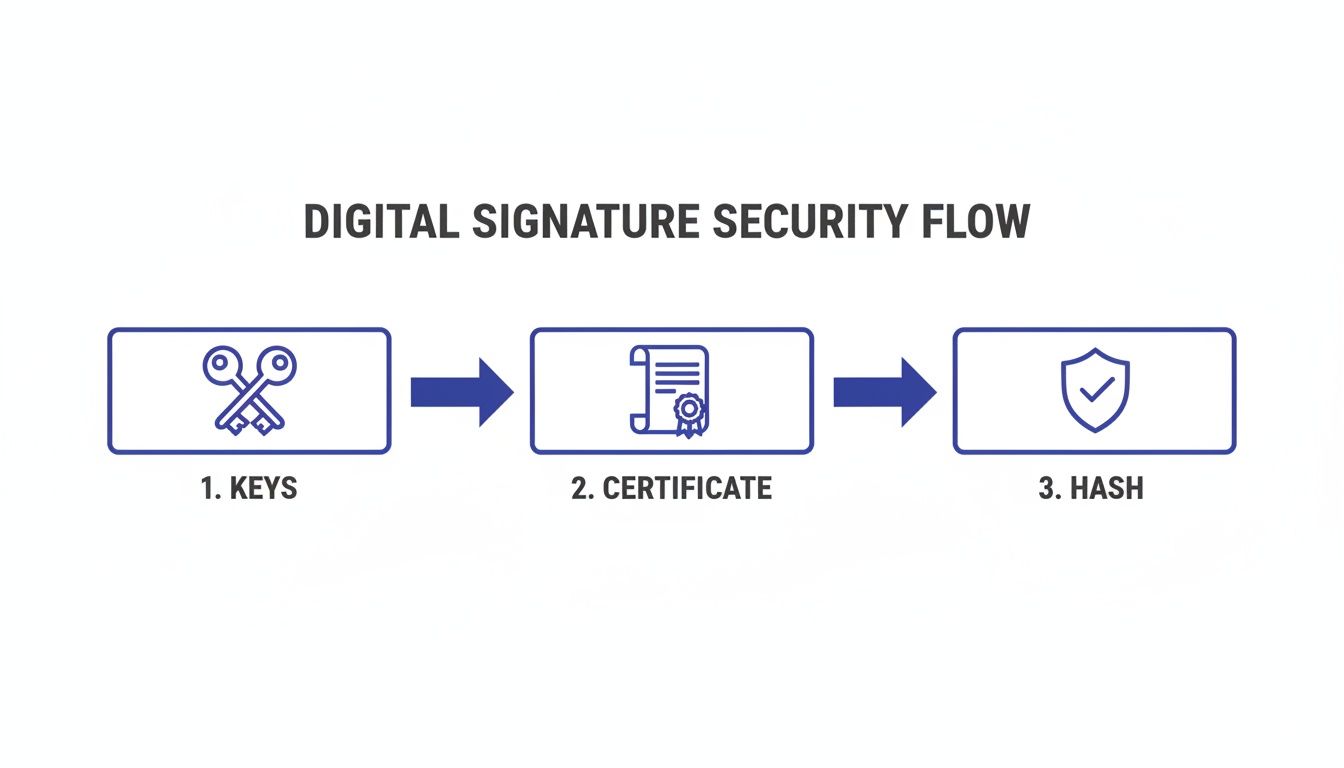
This flow shows exactly how your unique keys, a validated certificate from a trusted authority, and a document-specific hash combine to create a signature that’s both secure and legally sound.
The All-Important First Step: Identity Verification
Before you can even think about signing, a reputable platform will put you through a rigorous identity verification process. This is far more than just clicking a confirmation link in an email; it’s a multi-layered system designed to meet strict legal standards. For example, a platform like BlueNotary often uses several methods to confirm you are who you claim to be.
- Knowledge-Based Authentication (KBA): This involves answering a series of multiple-choice questions pulled from your personal credit and public records. They’re “out-of-wallet” questions that, in theory, only you should know.
- ID Document Analysis: You’ll be asked to upload a government-issued photo ID. The platform’s tech scans it for authenticity, checking for security features and verifying the data.
- Biometric Verification: Many platforms now use facial recognition to compare a live selfie or video feed of you against the photo on your ID. It’s a powerful way to confirm that you are the person holding the document.
This comprehensive approach is what gives the final digital signature its legal weight. It forges a clear, verifiable link between the cryptographic signature on the PDF and a real person’s proven identity.
A Real-World Scenario: Finalizing an Estate Plan
Let’s walk through a common example. A law firm needs to get an estate plan finalized. The documents are sensitive, legally binding, and need signatures from family members who live in different states. The old way—printing, mailing, and waiting—is not only slow but also riddled with security risks.
Instead, the firm’s paralegal uploads the trust document to a secure platform. They simply drag and drop signature fields for the client, their spouse, and the trustee. The platform then shoots a secure link to each signer, which kicks off the identity verification process we just covered.
Once each person is verified, they can review the document and apply their digital signature with a single click. The platform instantly embeds each signature, sealing it cryptographically with the signer’s unique digital certificate. Every single one of these actions is logged.
The signature itself is only half the story. The real power lies in the comprehensive audit trail that the platform generates. This log captures every detail: who accessed the document, when they viewed it, the results of their ID check, their IP address, and the precise moment of signing. This provides irrefutable proof of the entire event.
What to Look For in a Signing Platform
Not all signing platforms are built the same. When you need to add a digital signature to a PDF for official business, there are a few key features that are non-negotiable for ensuring security and compliance. The best tools offer more than just a way to scribble your name on a line. For a closer look at what a modern service provides, you can explore the features of a top-tier eSignature platform.
One of the biggest differentiators is the ability to handle notarization. For documents like property deeds or court affidavits, a standard digital signature isn’t enough—they need a notary’s seal. A platform that offers Remote Online Notarization (RON) is a game-changer, as it integrates a live, face-to-face video session with a commissioned notary right into the workflow.
The demand for these secure solutions is exploding. Projections from Grand View Research show the digital signature market is expected to hit USD 38.16 billion by 2030. This boom is fueled by the need for secure document authentication in a remote-first world. Companies in real estate and finance have reported cutting costs by up to 60% after ditching paper processes. In the legal world, digital signatures now support 85% of US mortgage documents, drastically speeding up closing times.
As you look for the right tool, it pays to do your homework. A great starting point is to explore different PDF editors that support document signing and see how their features stack up against your specific needs. This will help you find a solution that fits both your workflow and your compliance requirements.
Exploring Other Ways to Sign a PDF
While dedicated platforms are the only real choice for important legal or financial documents, they aren’t the only way to get a signature on a PDF. Sometimes, all you need is a quick, simple signature for a low-risk internal form or a personal agreement.
It’s helpful to know the full range of tools out there, from the highly secure to the incredibly convenient. In fact, you probably already have software on your computer that can handle basic signing tasks, like Adobe Acrobat Reader or the Preview app on a Mac. These are fine for casual use, but the moment a document has real-world consequences, their weaknesses start to show.
The big difference comes down to identity verification and cryptographic security. Let’s break down these common alternatives to see where they shine and where they fall short.
Using Adobe Acrobat for Self-Signed Digital IDs
One of the most common methods for creating a genuine digital signature on your own is with the free Adobe Acrobat Reader. The software lets you generate a self-signed digital ID, which is a way of creating your own public and private key pair without going through a third-party Certificate Authority (CA).
Think of it like this: a self-signed ID is you vouching for yourself. A signature from a platform like BlueNotary is like having a government official vouch for you after checking your credentials. The underlying technology is similar—it still creates a tamper-evident seal on the PDF—but the trust is built on a completely different foundation.
When you create a self-signed ID in Adobe, the process is straightforward:
- You’ll enter your name, email, and organization.
- You’ll set a password to protect your new private key.
- The digital ID file is saved directly onto your computer.
It’s fast and free. The catch? When you use this ID to sign a PDF, anyone who opens it will see a valid signature, but it will come with a warning that the signer’s identity couldn’t be verified by a trusted source. For a client contract, a legal filing, or any high-stakes agreement, that warning is a serious red flag.
Basic E-Signing with Everyday Tools
Stepping down another level in security, many common applications offer even simpler electronic signature features. These tools prioritize convenience over everything else and don’t typically use any cryptographic security at all.
For Mac users, the built-in Preview app is a classic example. You can draw your signature with your trackpad or even hold a signed piece of paper up to your camera. Then, you can just drag and drop that image onto any PDF. It’s incredibly easy, but it’s just a picture of your signature. It offers zero security and does nothing to prevent tampering.
Similarly, many e-signature platforms like DocuSign have basic plans that function as simple electronic signature tools. They create a solid audit trail—logging who opened the document and when—but the signature itself often lacks the robust PKI framework of a true digital signature. This makes them perfect for things like a newsletter signup or a design approval, but not for legally binding agreements where identity is paramount.
The real problem with these basic methods is the lack of non-repudiation. Because the signer’s identity isn’t rigorously checked and the signature isn’t cryptographically tied to the document’s content, it’s much easier for someone to later claim, “That wasn’t me who signed it.”
Comparison of PDF Digital Signature Tools
Choosing the right tool is all about matching it to the level of risk and compliance required. A quick signature in Preview might be fine between trusted colleagues, but it would never hold up for a mortgage application or an affidavit. To make the choice clearer, here’s a look at how these different methods stack up.
| Feature | BlueNotary | Adobe Acrobat Pro | DocuSign (Standard) | OS Preview (macOS) |
|---|---|---|---|---|
| Identity Verification | High (KBA, Biometrics, ID Scan) | Moderate (Requires CA-issued ID for full trust) | Basic (Email verification) | None |
| Security | PKI, AES-256 Encryption | PKI, Self-signed or CA-issued | Basic audit trail, server-side security | None (Image overlay) |
| Legal Compliance | High (ESIGN, UETA, eIDAS, RON) | Meets legal standards with trusted CAs | Meets ESIGN & UETA for e-signatures | Very low, context-dependent |
| Audit Trail | Comprehensive and tamper-proof | Basic signature properties | Detailed access and action logs | None |
| Best For | High-stakes legal, financial, and real estate transactions. | Business documents requiring moderate security. | General business agreements and approvals. | Quick, informal personal use. |
For anyone working in a regulated industry, this table lays it all out. The rigorous compliance, verifiable identity, and unchangeable audit trails from a dedicated platform aren’t just nice-to-haves; they are fundamental to doing business safely and legally.
How to Verify a Digital Signature on a PDF
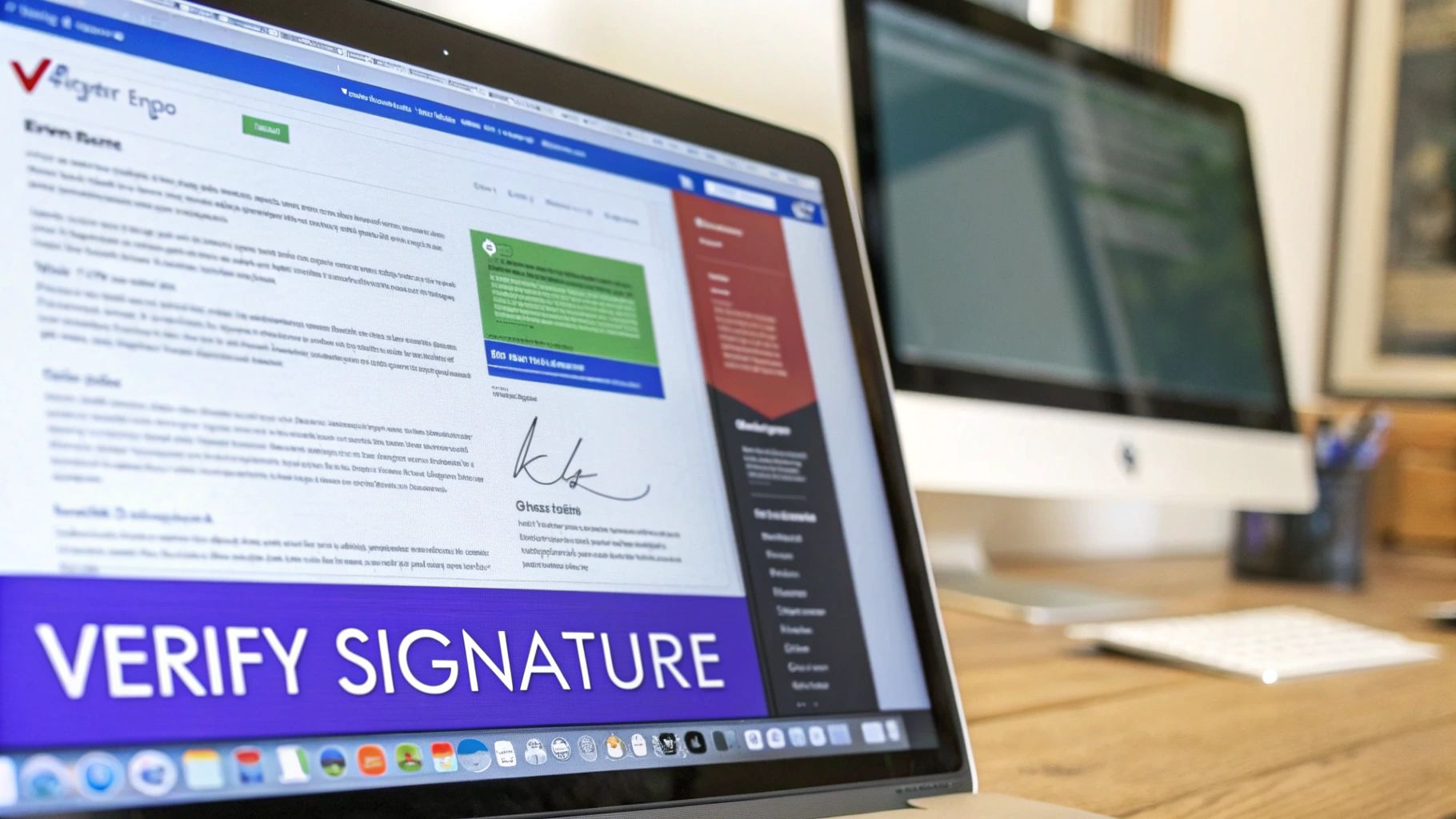
Adding a digital signature to a PDF is really just the first step. The real value comes from being able to verify that signature later. After all, the whole point of using this kind of cryptographic security is to create a document that anyone can inspect to confirm its authenticity.
Luckily, you don’t need any special software. The verification process is built right into most modern PDF viewers, and the proof is embedded within the document itself.
When you open a digitally signed PDF, the first thing you’ll probably notice is a notification banner at the top—usually blue or green—announcing that the document contains valid signatures. This is your initial clue that the cryptographic seal is intact and hasn’t been broken.
That visual confirmation, however, is just the tip of the iceberg. Clicking on that banner or the signature itself unlocks a wealth of information proving who signed the document, when they did it, and—most importantly—that it hasn’t been altered by a single byte since.
Inspecting the Signature Details
To get a closer look, just right-click on the signature field and select “Show Signature Properties” (or a similar option) in a program like Adobe Acrobat. This opens a window that serves as the control panel for the signature’s validity, and it’s where you can confirm the two pillars of any digital signature:
- Document Integrity: The viewer will clearly state whether any changes have been made to the document since it was signed. A valid signature is a guarantee that what you’re seeing is exactly what the signer intended.
- Signer Identity: It also confirms if the signer’s identity could be validated. A signature backed by a trusted Certificate Authority (CA) will typically show a green checkmark, meaning a reliable third party has vouched for that identity.
This initial view gives you an immediate “pass/fail” on the signature’s health. For most day-to-day checks, this is all you need to trust the document you’ve received.
The ability to instantly verify a signature’s validity is what separates a true digital signature from a simple electronic one. It’s not just an image placed on a page; it’s an active security feature that anyone can inspect for definitive proof of authenticity.
Digging into the Certificate and Audit Trail
For those in legal, financial, or other highly regulated fields, a deeper dive is often necessary. Back in the signature properties window, you can view the digital certificate that was used to create the signature. This is where you find critical details about the signer, like their name, organization, and the specific CA that issued their certificate. It provides a clear, traceable link back to a verified identity.
This is also where a comprehensive audit trail from a platform like BlueNotary becomes indispensable. While the certificate verifies the who, the audit trail verifies the how and when. This detailed log, often attached directly to the PDF or accessible through a secure link, contains everything needed to reconstruct the entire signing event.
This log will typically include:
- Precise timestamps for every single action taken.
- The IP address of each signer’s device.
- Records of identity verification steps, like KBA results or biometric checks.
- A complete history of who viewed, interacted with, and signed the document.
This level of detail is crucial for meeting strict compliance standards like the ESIGN Act, UETA, and eIDAS. It’s no longer a “nice to have”—it’s becoming standard practice as more industries go digital.
In fact, the digital signature market is projected to skyrocket from USD 13.4 billion in 2025 to an incredible USD 70.2 billion by 2030. According to a report from MarketsandMarkets, this explosive growth is fueled by enterprises in finance and law moving away from paper to comply with global standards like eIDAS and NIST, ensuring every transaction is backed by an undeniable record.
Ultimately, verifying a digital signature is a straightforward but incredibly powerful process. It provides concrete proof that the document is authentic and the signer’s identity is confirmed, giving you complete confidence in the agreements that matter most.
Answering Your Top Questions About Digital Signatures
Even after you get the hang of it, adding a digital signature to a PDF can bring up some specific questions. Let’s walk through some of the most common ones I hear from people who are new to the process.
What Actually Makes a Digital Signature Legally Binding?
It’s a mix of technology and law. A digital signature gets its legal weight from laws like the U.S. ESIGN Act and the EU’s eIDAS regulation. These acts essentially say that electronic signatures can be just as valid as a wet ink signature, as long as they meet certain standards.
But the real muscle behind a digital signature is its Public Key Infrastructure (PKI). This is the tech that locks everything down and provides the three pillars of a legally sound signature:
- Signer Authentication: The system proves who is signing the document, often through a rigorous ID check.
- Data Integrity: It creates a tamper-evident seal, guaranteeing the document hasn’t been changed a bit since it was signed.
- Non-Repudiation: It makes it practically impossible for the signer to later deny they signed it.
Think about a law firm using a service like BlueNotary to have a client sign their will remotely. The signature’s strength comes from the audit trail—it captures the ID verification, timestamps, and the entire signing session. That creates a mountain of evidence that’s incredibly difficult to challenge.
Can I Just Create My Own Digital Signature for Free?
Technically, yes. You can use software like Adobe Acrobat Reader to generate what’s called a “self-signed” digital ID. This creates the cryptographic key pair and lets you place a signature on a PDF.
But here’s the catch: a self-signed signature is like printing your own driver’s license. It has your picture on it, but it lacks the validation from a trusted third party, like a Certificate Authority (CA). No one is going to accept it as official proof of identity.
Because of this, self-signed signatures are a no-go for any important legal or business documents. For anything that carries real weight, you need a signature issued by a trusted service that verifies your identity first. It’s all about building trust with the person receiving the document.
How Long Is a Digital Signature on a PDF Good For?
The signature itself is permanent. Its cryptographic seal is embedded in the document, forever proving its state at the moment of signing. You could open that PDF 10 years from now, and the signature will still confirm the document is unchanged.
What does have a shelf life is the digital certificate that was used to create the signature. These typically expire every one to three years. So, how do you prove the signature was valid long after the certificate expires?
This is where trusted timestamps come in. Advanced digital signatures include a timestamp from a Time Stamping Authority (TSA). This acts as a cryptographic notary, proving the signature was applied while the certificate was still valid. This is absolutely essential for long-term documents like deeds, wills, or major corporate contracts.
What’s the Real Difference Between a Digital Signature and a Scanned Signature?
The difference is night and day, and it’s everything when it comes to security.
A scanned signature is just a picture of your handwriting. That’s it. It can be copied, forged, or pasted onto any document with basic editing software. It offers zero proof of who applied it or if the document was altered later.
A digital signature, on the other hand, is a sophisticated cryptographic process. It binds a verified identity to a specific version of a document. If anyone changes even a single comma after it’s signed, the digital signature will immediately show as invalid. This is why it’s the gold standard for any serious business or legal transaction.
Ready to secure your documents with the highest level of trust and compliance? BlueNotary provides a complete platform for identity verification, e-signing, and Remote Online Notarization, ensuring every agreement is secure and legally sound. Explore how BlueNotary can protect your workflows today.