
Your title company just signed with a RON vendor. The platform works great in demos. Your closers love the interface. Then IT gets the integration ticket.
The closer wants to click one button in your title production software and launch a RON session. She wants the completed documents to flow back into your system automatically. She wants signer status updates in real time. And she wants it all working by next Tuesday.
IT opens the vendor’s API documentation. It is 14 pages long, covers three endpoints, and was last updated eight months ago. The webhook section says “coming soon.” The sandbox environment returns a 500 error on the first test call. And the vendor’s integration support team responds to emails in 48 hours.
This is where most RON integrations stall — not because the technology is hard, but because nobody mapped the architecture before writing the first line of code.
Why Architecture Comes Before Code
A RON platform is not a standalone tool. It is a node in a larger system that includes your title production software, loan origination system, document management platform, CRM, accounting tools, and compliance reporting. Every connection between these systems carries data, triggers actions, and creates dependencies.
Building those connections without a plan produces brittle integrations that break when the vendor updates their API, when your internal systems change, or when transaction volume spikes beyond what your ad hoc setup can handle.
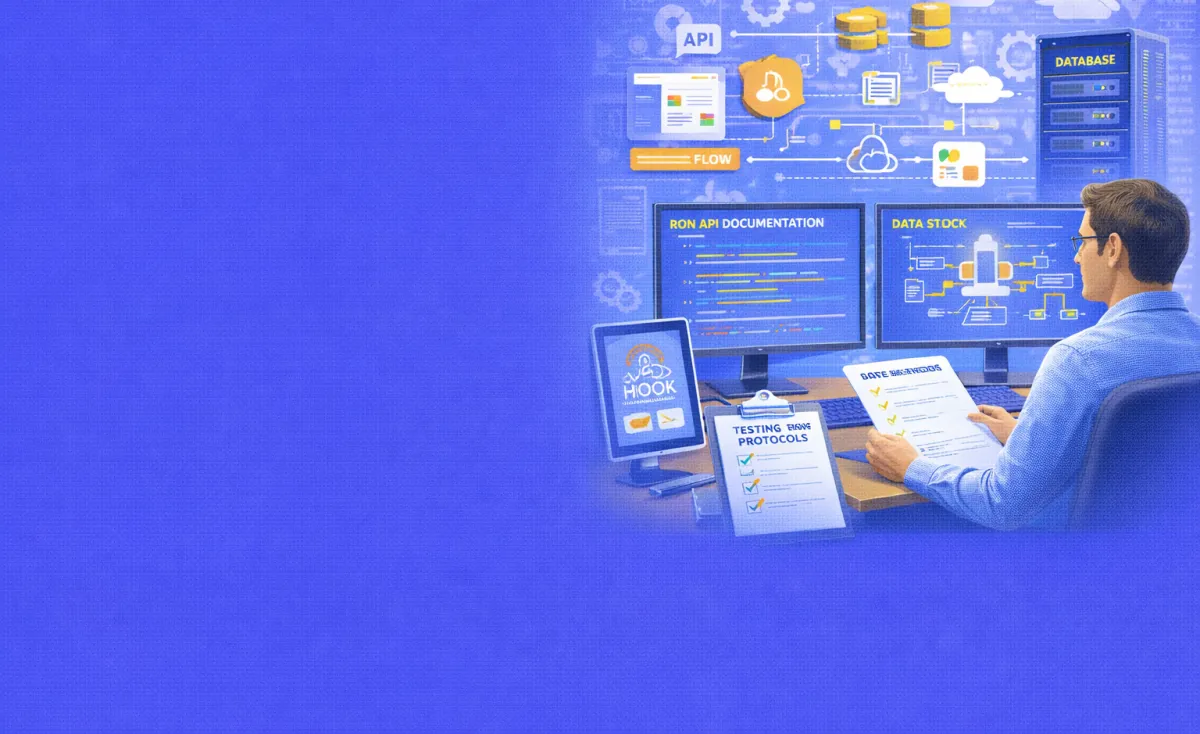
This guide covers how to evaluate a vendor’s API before committing, how to design data flows between your systems and the RON platform, how to implement webhooks for real-time event handling, and how to build testing protocols that catch failures before they reach production.
Phase 1: API Documentation Review
The quality of a vendor’s API documentation predicts the quality of your integration experience. Review it before signing the contract — not after.
What Good Documentation Looks Like
Strong API documentation includes a complete endpoint reference with request and response schemas for every operation. It provides authentication instructions (OAuth 2.0, API key, or HTTP Basic Auth) with working examples. Offers a sandbox environment with test credentials that work immediately. It includes error code definitions with descriptions and recommended handling. And it carries a version history showing when the API last changed and what broke.
NotaryLive, for example, publishes its API documentation with public sandbox credentials. You can copy curl commands directly from the docs and test them without requesting access. That level of openness signals a vendor that expects developers to use their API — not just read about it.
Red Flags in API Documentation
Watch for these warning signs. Endpoints described without request or response examples leave you guessing about data formats. A sandbox environment that requires a sales call to access slows your evaluation by days or weeks. Missing error code documentation means your integration cannot handle failures gracefully. No versioning strategy means the vendor can change their API without warning and break your integration overnight.
A vendor with weak documentation will cost your team far more in integration time than one with slightly higher per-transaction pricing. Factor documentation quality into your vendor evaluation alongside price and features.
Key Endpoints to Evaluate
A RON API must support the full transaction lifecycle. At minimum, look for these capabilities. Session creation should accept document uploads, signer information, notary assignment preferences, and scheduling parameters. Session status should return the current state of a transaction — created, identity verified, in progress, completed, or failed. Document retrieval should provide the completed notarized package with all signatures, seals, and audit trail data. Recording access should offer a secure URL or download path for the session recording. Journal export should deliver electronic journal entries in a standard format for your compliance records.
If the API covers session creation and document retrieval but skips status queries, recording access, or journal export, your integration will hit walls. You will need those endpoints for compliance reporting, audit trail assembly, and post-closing workflows.
Authentication and Security
The API must enforce secure authentication. OAuth 2.0 with token rotation is the standard for enterprise integrations. API key authentication works for simpler setups but offers weaker security. HTTP Basic Authentication — like NotaryLive’s sandbox — is acceptable for testing but should not carry sensitive data in production without TLS encryption.
Every API call must travel over HTTPS. No exceptions. Your RON vendor handles government IDs, session recordings, and signed legal documents. Unencrypted API traffic exposes all of that data to interception.
Check whether the vendor enforces rate limiting and how they communicate limits. A vendor that throttles your API calls at 100 requests per hour without warning will stall your closing pipeline on busy days. Ask for documented rate limits and burst allowances before you design your integration.
Phase 2: Data Flow Mapping
Before writing code, map every piece of data that moves between your systems and the RON platform. This map becomes your integration blueprint.
Outbound Data: What You Send to the Platform
Your system sends data to the RON platform to initiate and configure each session. This typically includes the documents to be notarized (PDF format), signer information (name, email, phone), notary preferences (in-house notary ID or on-demand network request), session scheduling parameters (immediate or scheduled date and time), and transaction metadata (your internal file number, loan number, or order ID).
Map each data element to a specific API field. Confirm the platform accepts your document format and size. Most platforms accept PDF files up to 35 MB. Some accept Word documents. Few accept image files. Know the limits before your team tries to upload a 50 MB scan and triggers an error.
Inbound Data: What the Platform Sends Back
The platform returns data at several points in the transaction lifecycle. After session creation, you receive a session ID and a signer invitation link. Then after identity verification, you receive the verification result (pass or fail). After session completion, you receive the notarized document package, the audit trail, and access to the session recording. After journal entry creation, you receive the electronic journal data for your compliance records.
Map each inbound data element to a destination in your system. The notarized document package goes to your document management system. The session recording URL goes to your compliance archive. The journal entry feeds your audit trail database. Transaction metadata (completion timestamp, notary name, verification method) updates your title production software.
Internal System Touchpoints
A typical RON integration touches five or more internal systems. Your title production software (SoftPro, RamQuest, Resware, or similar) holds the transaction record, your document management system stores closing packages, your CRM tracks customer communication. Your accounting system processes notarization charges and your compliance database houses audit trail records.
Draw the connections between each system and the RON platform. Identify which connections are automated (API-driven) and which are manual (someone copies data between systems). The goal of integration is converting manual connections to automated ones — but not all at once. Prioritize the connections that carry the highest volume or create the most manual work.
Phase 3: Webhook Implementation
APIs let you ask the platform for information. Webhooks let the platform tell you when something happens. For real-time RON integration, webhooks are essential.
How Webhooks Work in a RON Context
A webhook is an HTTP callback. When an event occurs on the RON platform — a session starts, identity verification completes, a document gets signed — the platform sends an HTTP POST request to a URL you specify. Your system receives the data and takes action.
Without webhooks, your system must poll the API repeatedly to check session status. Polling works but wastes resources. A closer managing five simultaneous sessions forces your system to make dozens of API calls per minute just to check whether anything changed. Webhooks eliminate that overhead. The platform pushes updates the moment they happen.
Common RON Webhook Events
Design your webhook handler to process these event types at minimum. A session.created event confirms the platform received your session request and created the transaction. A signer.identity_verified event tells you the signer passed (or failed) KBA and credential analysis. A session.in_progress event fires when the live video session begins. A session.completed event delivers the final document package and triggers your post-closing workflow. A session.failed event alerts you to a session that could not be completed — signer no-show, technical failure, or identity verification failure.
Each event should carry a payload with the session ID, a timestamp, the event type, and relevant data (verification result, document URLs, error codes). Your system matches the session ID to your internal transaction record and updates accordingly.
Building a Resilient Webhook Endpoint
Your webhook endpoint must be fast, secure, and fault-tolerant. Return a 200 OK response within 500 milliseconds. Do not process business logic inside the endpoint handler. Instead, accept the payload, acknowledge receipt, and hand it off to a background queue for processing.
Why the speed matters: most webhook providers retry delivery if they do not receive a timely response. If your endpoint takes 30 seconds to process a notarized document package before responding, the vendor’s system may assume delivery failed and retry. You end up processing the same event multiple times.
Use a message queue — Redis, RabbitMQ, or a cloud-native equivalent — to buffer incoming webhooks. The queue holds events until your processing service is ready. This decouples intake from processing. Your endpoint stays fast. Your processing service handles business logic at its own pace.
Webhook Security
Verify every incoming webhook. Vendors typically sign payloads using HMAC (Hash-based Message Authentication Code). The vendor generates a hash using a shared secret and the payload body, then sends it in an HTTP header. Your system recalculates the hash and compares. If they match, the webhook is authentic. If not, reject it.
Never trust a webhook without verification. An unsecured endpoint lets anyone send fake events to your system — triggering false session completions, injecting bogus documents, or manipulating transaction records.
Restrict your webhook endpoint to the vendor’s IP ranges if available. Use TLS for all webhook traffic. Rotate your shared secret on a regular schedule.
Phase 4: Testing Protocols
Integration testing catches failures that unit tests miss. A RON integration touches multiple systems, handles sensitive data, and must work under production volume. Test accordingly.
Sandbox Testing
Start every integration in the vendor’s sandbox environment. Use test credentials to create sessions, upload documents, trigger webhooks, and retrieve completed packages. Verify that every API call returns the expected response. Confirm that webhook events fire for each lifecycle stage.
Sandbox limitations are real. NotaryLive’s sandbox disables payment processing and the notarial session itself. Video recording and ID verification endpoints may not function. Know these limits before testing so your team does not waste hours debugging features that simply are not available in the test environment.
What No Other Guide Covers: The Status Sync Drift Problem
Every integration guide says “test your API calls.” None of them address the specific failure that causes the most production incidents in RON integrations: status sync drift.
How Drift Happens
Your system sends a session creation request. The RON platform creates the session and returns a session ID. Your title production software records the status as “pending.” The signer completes identity verification. The platform fires a webhook. Your endpoint receives it but the processing queue is backed up. The session.completed webhook arrives three minutes later — before your system finished processing the identity verification event.
Now your system shows the session as “identity verified” while the platform shows it as “completed.” The closer checks the title production software, sees “identity verified,” and assumes the session is still in progress. The notarized documents are ready, but nobody retrieves them. The transaction sits in limbo until someone notices the mismatch.
This is status sync drift. It happens when webhooks arrive out of order, when your processing queue reorders events, or when a webhook fails and the retry arrives after a later event already processed.
How to Prevent Drift
Build your webhook processor to handle out-of-order events. Include a timestamp in every event payload. Before updating a transaction’s status, compare the incoming event’s timestamp against the last known update. If the incoming event is older than the current status, skip the update.
Add a reconciliation job that runs every 15 to 30 minutes. The job queries the RON platform’s status API for all active transactions and compares each status against your internal records. Mismatches trigger an alert and automatic correction. This reconciliation catches any event your webhook handler missed — whether from a network failure, a processing error, or an out-of-order delivery.
Log every webhook event with its raw payload, receipt timestamp, processing result, and any status change it triggered. When drift occurs, these logs let your team trace exactly what happened and why.
Phase 5: Production Deployment and Monitoring
A successful sandbox test does not guarantee a successful production launch. Production adds real volume, real data, and real consequences.
Staged Rollout
Do not route all transactions through the integration on day one. Start with a small subset — 10 to 20 transactions per day — and monitor closely. Watch for API errors, webhook delivery failures, and status mismatches. Expand volume gradually over two to four weeks as confidence grows.
Keep your manual workflow available as a fallback during the rollout period. If the integration fails on a live transaction, your team needs a way to complete the closing without waiting for an engineering fix.
Monitoring and Alerting
Build dashboards that track API call success rates, webhook delivery and processing times, status sync accuracy, and error rates by type. Set alerts for any metric that crosses a threshold — API error rate above 2%, webhook processing time above 5 seconds, or any status mismatch.
Monitor the vendor’s side too. Check their status page for planned maintenance or outage reports. Subscribe to their developer changelog for API updates. A vendor that changes an endpoint response format without notice will break your integration silently — unless your monitoring catches the anomaly.
Handling Vendor API Changes
APIs evolve. Vendors add fields, deprecate endpoints, and change response formats. Your integration must absorb these changes without breaking.
Use API versioning if the vendor supports it. Pin your integration to a specific version and upgrade on your schedule — not the vendor’s. If the vendor does not version their API, build defensive parsing into your code. Accept unknown fields without errors. Validate required fields before processing. Log warnings for unexpected data shapes so your team can investigate before failures cascade.
Subscribe to the vendor’s developer communications — changelogs, release notes, and deprecation notices. A 30-day warning about a breaking change gives your team time to update. A surprise change on a Friday afternoon does not.
Frequently Asked Questions
What API authentication method should I use for a RON integration?
OAuth 2.0 with token rotation for production integrations. It provides the strongest security and supports automated token refresh. API key authentication works for simpler setups but offers weaker access control. All API calls must use HTTPS regardless of authentication method.
Do I need webhooks or can I poll the API for status updates?
Webhooks are strongly recommended. Polling works but wastes resources and introduces latency. A busy closing day with 20 simultaneous sessions forces your system to make hundreds of polling calls per hour. Webhooks deliver status updates instantly with no wasted traffic.
What is status sync drift and how do I prevent it?
Drift occurs when your internal transaction status falls out of sync with the RON platform — usually because webhooks arrive out of order or a processing queue reorders events. Prevent it with timestamp comparison on every webhook, a reconciliation job that checks platform status every 15 to 30 minutes, and comprehensive event logging.
How do I test my integration if the sandbox disables key features?
Sandbox environments often disable payment processing, live video sessions, and ID verification. Test what you can in the sandbox (session creation, document upload, webhook delivery). For features the sandbox does not support, work with the vendor’s integration team to run a controlled test with live credentials on a small number of real transactions.
What systems does a typical RON integration connect?
A full integration touches title production software (SoftPro, RamQuest, Resware), document management, CRM, accounting, and compliance reporting. Prioritize the connections that carry the highest volume or create the most manual work. Automate the high-impact connections first and expand from there.
How do I handle webhook delivery failures?
Most vendors retry failed webhooks using exponential backoff — waiting progressively longer between retries. Build your endpoint to be idempotent so duplicate deliveries do not create duplicate actions. Add the reconciliation job as a safety net to catch events that exhaust the retry limit.
Should I build a custom integration or use a pre-built connector?
Check whether your RON vendor offers pre-built connectors for your title production software. First Class Signing Service, for example, integrates directly with RamQuest, SoftPro, and Resware. Pre-built connectors save months of development time. Custom integrations offer more control but require ongoing maintenance.
How do I protect sensitive data in the integration?
Encrypt all data in transit with TLS. Verify webhook signatures using HMAC. Restrict API credentials to specific IP ranges. Store session recordings and notarized documents in encrypted storage. Never log signer PII (government ID numbers, KBA answers) in plaintext. Apply the same data protection standards to your integration layer that you apply to the RON platform itself.
Conclusion:
A RON platform is only as useful as its connections to the systems your team already uses. A platform that lives on its own island — disconnected from your title production software, your document management, and your compliance reporting — creates manual work instead of eliminating it.
The integration that eliminates that manual work does not start with code. It starts with an architecture plan. Map your data flows. Evaluate the API before signing the contract. Design your webhook handlers for speed, security, and fault tolerance. Build reconciliation into the system from day one. And test under realistic conditions before routing a single live transaction.
The engineering effort is real. So is the payoff. A well-integrated RON platform turns a 45-minute manual workflow into a single click — document upload, session creation, signer notification, status tracking, document retrieval, and compliance archiving, all automated.
For IT teams building RON into their existing tech stack, BlueNotary provides a platform with REST API access, webhook event delivery, and the integration flexibility to connect with title production, document management, and compliance systems.