
Imagine this. You signed a power of attorney through remote online notarization three years ago. Today, you need to prove that signature is real in a court case. You open the PDF, and Adobe Reader flashes a warning: “Signature validity is unknown.” The notary’s digital certificate expired last year. The certificate authority that issued it shut down. Now a legally binding document looks shaky.
This happens more often than most people realize. Digital signatures depend on certificates, timestamps, and online services. All of these have expiration dates. Without the right setup at the time of signing, nobody can verify that signature years later.
Long-Term Validation, or LTV, fixes this problem. It packs everything a future reviewer needs right inside the signed PDF. No outside servers. No expired certificates getting in the way. Just a complete bundle of proof that the signature was valid when someone applied it.
If you work with remote online notarization, title closings, legal records, or compliance, you need to understand LTV. It draws the line between a document that holds up in 2040 and one that raises red flags the moment someone opens it.
What Long-Term Validation Actually Means
Long-Term Validation bundles all the cryptographic proof needed to verify a digital signature inside the signed document itself. When someone opens that document years later, their software does not need to call any outside server. It does not need to check any certificate that might have expired. Everything sits right there in the file.
How a Normal Digital Signature Works
To understand why LTV matters, think about how a regular digital signature works.
A signer uses a private key (a unique piece of secret data only they control) to create the signature. That key links to a digital certificate from a Certificate Authority, or CA. The CA basically says, “We checked this person’s identity. Here is their public key so you can confirm their signatures.”
But certificates expire. Most signing certificates last one to three years. Certificate Authorities also keep revocation lists that change over time. An online service that confirmed a certificate’s status in 2024 might not exist in 2030.
If a reviewer cannot reach these outside services, the signature looks unverifiable. Not because someone forged it. Simply because the supporting systems changed.
How LTV Solves the Problem
LTV captures a snapshot of that entire verification setup at the time of signing. Records the exact certificate status. It stores the full chain of trust from the signer’s certificate up to the root authority. It also grabs a trusted timestamp that proves when the signer created the signature.
All of that data goes inside the PDF itself. When Adobe Acrobat or another reader opens that document years later, it finds everything it needs in the file. Instead of reaching out to servers that may no longer exist, it reads the built-in data and confirms the signature.
That is the core idea behind LTV. The document carries its own proof.
The Three Pillars of LTV
Three parts work together to make Long-Term Validation happen. Each one fills a specific role. All three must exist for a signature to qualify as truly LTV-enabled.
Trusted Timestamps from a Timestamp Authority
A timestamp answers one key question: when did the signer create this signature? Without a solid answer, proving the certificate was active at that moment becomes very hard.
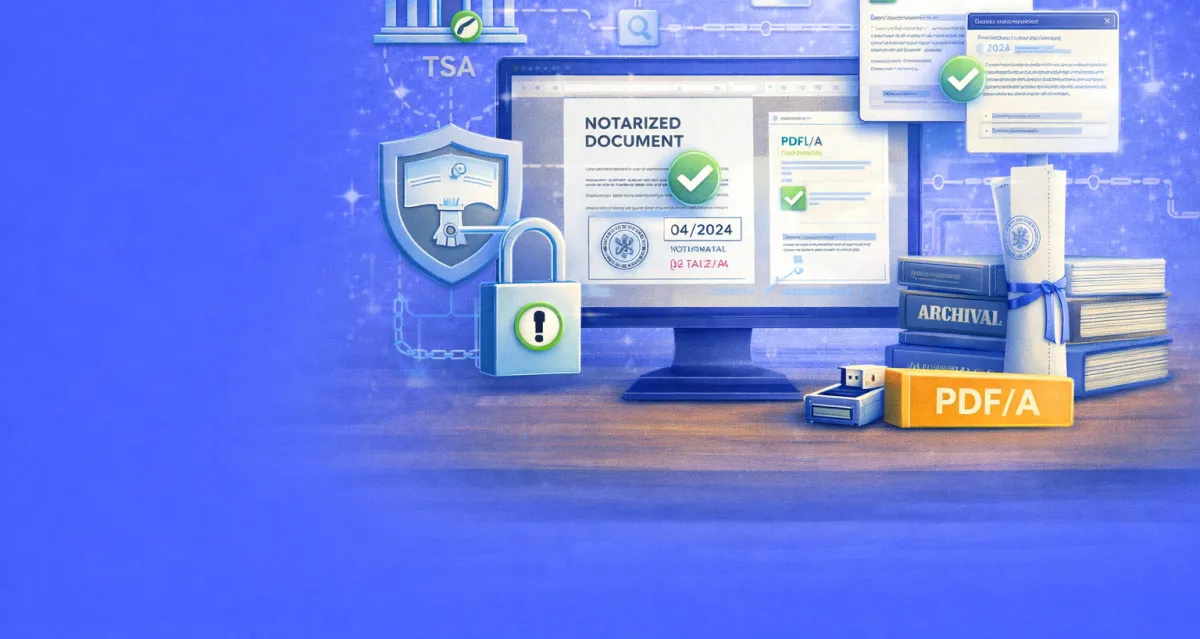
A Timestamp Authority (TSA) provides that proof. The process follows RFC 3161, an internet standard from the Internet Engineering Task Force.
Here is how it works in plain terms. When a platform signs a document, the software creates a hash of the signature data. Think of a hash as a digital fingerprint — a short string of characters unique to that exact data. The software sends this hash to the TSA. The TSA adds its own trusted time (synced with a reliable source), combines it with the hash, and signs the result. That signed package, called a TimeStampToken, goes back into the document.
This timestamp does not depend on the signer’s computer clock. Anyone can check a clock. But because the TSA signs the token with its own certificate, anyone who trusts that TSA can verify exactly when the signature happened.
Who Provides Timestamps?
Major providers include DigiCert, GlobalSign, and Entrust. FreeTSA offers a free RFC 3161 service. Commercial providers typically charge between $0.10 and $0.50 per timestamp for high-volume users.
For remote online notarization platforms, timestamps do double duty. They prove when the notarial act took place. They also lock the notary’s certificate validity to that exact moment. Even if the certificate expires six months later, the timestamp proves it was active during signing.
Certificate Chain Preservation
Every digital certificate sits inside a chain of trust. The notary’s signing certificate came from an intermediate Certificate Authority. That intermediate CA got its certificate from a root Certificate Authority. The root CA sits at the top. Operating systems and PDF readers trust root CAs by default.
To verify a signature, the reviewer needs every certificate in that chain. In normal use, the reviewer’s software grabs these certificates from the internet. But years later, those servers might go dark. The intermediate CA might merge with another company. The root CA might rebuild its certificate structure.
Why Embedding the Chain Matters
LTV stores the entire certificate chain inside the document at signing time. Every certificate — from the signer’s personal one through all intermediates up to the root — goes into the PDF’s Document Security Store (DSS). The DSS is a special section within the PDF file built for holding validation data.
This approach makes the document self-contained. A reviewer in 2045 does not need to look up any outside certificate. The full chain sits right there, saved exactly as it existed when the signer applied the signature.
Revocation Status Data: OCSP and CRLs
Knowing a certificate existed is not enough. A reviewer also needs to confirm that nobody revoked the certificate at signing time. Certificates get revoked for many reasons. A private key might leak. An employee might leave a company. The CA might have issued the certificate by mistake.
Two tools handle revocation checking.
Certificate Revocation Lists (CRLs) are files that CAs publish. They list the serial numbers of every certificate the CA has revoked. A reviewer downloads the CRL and checks whether the signer’s certificate number appears on it. CAs publish new CRLs on a regular schedule — hourly, daily, or weekly.
The Online Certificate Status Protocol (OCSP) works faster. Instead of downloading a full list, the reviewer sends a quick query to an OCSP responder about one specific certificate. The responder sends back a signed answer: “good,” “revoked,” or “unknown.”
How LTV Uses Revocation Data
For LTV, the signing platform grabs the OCSP response or CRL at signing time and stores it inside the PDF. This frozen snapshot proves the certificate had not been revoked at that moment. Even if the OCSP responder goes offline ten years later, or the CA stops publishing CRLs, the built-in data still provides the proof.
One important note: the CA/Browser Forum made OCSP optional in July 2023. CRLs became the required method again for some cases. LTV-enabled signatures should ideally store both types of revocation data when available. This gives future reviewers the most flexibility.
PAdES: The Standard Behind LTV in PDFs
LTV works inside a clear set of rules. The most important one is PAdES — PDF Advanced Electronic Signatures. The European Telecommunications Standards Institute (ETSI) publishes PAdES as EN 319 142. It spells out exactly how digital signatures should sit inside PDF documents.
PAdES defines four levels. Each one builds on the level before it.
The Four PAdES Levels Explained
PAdES-B-B is the basic level. It holds the electronic signature and the signer’s certificate. This is the bare minimum for a valid digital signature. But it offers zero protection against certificate expiration. Once the certificate expires, verification gets shaky.
PAdES-B-T adds a trusted timestamp. This proves the signature existed at a known point in time. It blocks anyone from back-dating a signature and locks the certificate’s validity to the signing moment. For everyday signing, this level works fine.
PAdES-B-LT is the long-term validation level. It includes everything from B-T, plus it stores all validation material inside the document. This covers the full certificate chain, OCSP responses, and CRL data in the PDF’s Document Security Store. A reviewer can verify the document using only what the file contains. No outside connections needed.
PAdES-B-LTA goes furthest. It adds a document-level timestamp on top of all the B-LT data. Organizations can renew this timestamp over time. If the original hash algorithms become weak (because of advances in computing), a fresh timestamp with a stronger algorithm can protect the entire package. This renewal can repeat forever, keeping the document verifiable for as long as needed.
What Level Should Notarized Documents Use?
For notarized documents, PAdES-B-LT should serve as the floor. Documents with lasting legal weight — real estate deeds, powers of attorney, trust instruments — should reach PAdES-B-LTA level whenever possible.
PDF/A: The Archival Format That Pairs With LTV
LTV keeps the signature verifiable. But the document itself also needs a format that future software can read. PDF/A fills that role.
PDF/A is an ISO-standardized version of PDF (published under ISO 19005). It exists specifically for long-term archival. Unlike regular PDFs, which can hold features that might break in future software — JavaScript, video, external font links, encryption — PDF/A strips away anything that could block accurate display decades from now.
How PDF/A Has Evolved
The standard has gone through several versions. PDF/A-1, published in 2005, was the original. It set two conformance levels: Level B for basic visual preservation and Level A for accessibility features like tagged structure and Unicode text.
PDF/A-2, published in 2011, brought a major change. It added support for advanced digital signatures based on the PAdES standard. Archival PDFs could now hold LTV-enabled signatures that met European electronic signature rules.
PDF/A-3 (2012) allowed embedding files of any format inside a PDF/A document. PDF/A-4, the latest version from 2020, runs on PDF 2.0 and natively supports newer PAdES signature methods.
Why Combining LTV and PDF/A Matters
When you pair LTV with PDF/A, the result is strong. The PDF/A format guarantees the document’s visual content stays preserved and readable. The LTV parts guarantee the digital signatures stay independently verifiable. Together, they create a digital time capsule — a self-contained package that protects both the content and the proof of its authenticity.
For organizations that handle notarized documents at scale — real estate firms, title companies, law offices, banks — archiving signed documents in PDF/A-2 or later with LTV-enabled signatures sets the gold standard for long-term integrity.
How LTV Applies to Remote Online Notarization
Remote online notarization (RON) blends several technologies. It uses audio-visual calls, identity checks, electronic signatures, and digital certificates. The notary applies a digital seal and signature using X.509 certificates, typically from providers like IdenTrust that meet state-level requirements.
Currently, 47 states and the District of Columbia allow remote electronic notarization, according to the National Association of Secretaries of State (NASS). Each state sets its own tech requirements. Most demand that the notary’s electronic signature be tamper-evident and independently verifiable.
Why RON Needs LTV
NASS-supported standards from 2006 say the notary’s signature must attach to the document “in such a way that any subsequent change in the data is detectable.” LTV meets that standard and goes beyond it. LTV makes sure that detection ability lasts not just today, but years into the future.
Without LTV, a remotely notarized document faces a countdown. The notary’s certificate will expire within one to three years. The CA’s OCSP responder might change its URL or go offline. The intermediate CA certificates might rotate. Each event chips away at the ability to confirm the signature.
With LTV turned on at the time of notarization, none of these changes matter. The document carries its own proof, frozen in time.
Real Estate: A Clear Example
For notarized real estate documents, long-term verifiability matters most. A deed of trust or mortgage note might sit untouched for 15 or 30 years — the full loan term. When someone finally needs to verify that document during a refinance, sale, or dispute, the LTV data makes sure the notarial seal holds up without question.
The Archival Loop: Keeping Documents Valid Forever
Most articles about LTV skip one of its most practical features: the archival loop.
Even the timestamps and certificates inside LTV data use cryptographic algorithms with limited lifespans. SHA-256 is strong today, but computing advances may weaken it someday. The TSA certificate that created a timestamp will also expire at some point.
How the Renewal Process Works
PAdES-B-LTA handles this through periodic renewal. Before the most recent timestamp’s TSA certificate expires, a document custodian adds a new document timestamp. This new stamp covers the entire document, including all the earlier LTV data.
The steps are straightforward. First, validate the existing TSA certificate’s chain. Second, collect and embed fresh revocation data. Third, apply a new timestamp with a current, strong algorithm.
This creates a chain of timestamps inside the document. Each new one protects everything that came before it. As long as renewal happens before each TSA certificate expires, the document stays fully verifiable — forever.
Automating the Process
Automated document management systems can handle renewal without human input. The system tracks TSA certificate expiration dates and triggers re-timestamping at the right time. For organizations managing large archives of notarized documents, automation keeps the archive intact at scale.
Legal Framework in the United States
Two key laws support digital signatures in the U.S. The Electronic Signatures in Global and National Commerce Act (ESIGN), passed in 2000, gives electronic signatures the same legal weight as handwritten ones. It requires intent, consent, and proper record-keeping. The Uniform Electronic Transactions Act (UETA), adopted in most states, builds a matching framework at the state level.
Does U.S. Law Require LTV?
Neither ESIGN nor UETA directly requires LTV or timestamps. However, both laws stress that electronic records must stay retainable and accurately reproducible over time. LTV supports that goal directly by keeping verification data accessible and working for years.
In courtrooms, LTV carries real weight. A document with LTV-enabled signatures can show, through its built-in data, that the signature was valid when someone applied it. A document without LTV depends on outside systems that might not exist anymore. That gap weakens the evidence.
International Considerations
Europe’s eIDAS Regulation (EU No 910/2014) sets a higher bar. Qualified Electronic Signatures under eIDAS require LTV features, including timestamps from Qualified Trust Service Providers and PAdES compliance. U.S. law does not match these requirements. But organizations that handle documents across borders should consider PAdES-B-LTA as a best practice.
Practical Steps for Implementing LTV
Setting up LTV takes coordination between the signing platform, certificate authority, timestamp provider, and document management system. Here are the key steps.
Pick the Right Signing Platform
Not every e-signature platform supports LTV out of the box. When you evaluate vendors, look for clear support for PAdES-B-LT or PAdES-B-LTA. The platform should automatically store certificate chains, revocation data, and RFC 3161 timestamps during signing.
Ask vendors directly: “Are your signatures LTV-enabled?” and “What PAdES level do you reach?” Some platforms only deliver B-B or B-T, which offer limited long-term verifiability. For notarized documents, demand B-LT at minimum.
Pick a Solid Timestamp Authority
The timestamp is only as good as the authority behind it. Choose a TSA from a well-known CA like DigiCert, GlobalSign, or Entrust. The TSA should follow RFC 3161 and protect its signing keys with hardware security modules (HSMs).
Also think about the TSA’s long-term future. A timestamp from a provider that shuts down in five years helps less than one from a company likely to keep its root certificates trusted for decades.
Store Revocation Data at Signing Time
You can technically add LTV data after signing. But doing it during signing gives stronger results. The data reflects the exact certificate state at that moment. Waiting creates risk — OCSP responders might change, CRL servers might go dark, or someone might revoke the certificate in the gap.
Set Up Archival Renewal
For documents that matter beyond 10 years, build a renewal process. Track TSA certificate expiration dates. Schedule re-timestamping before those dates hit. Modern document management systems that support PDF incremental updates can automate the entire cycle.
Validate Before You Archive
Before placing a signed document into long-term storage, confirm LTV is working. In Adobe Acrobat, open the Signature Panel and check for “Signature is LTV enabled.” If it says “not LTV enabled” with an expiration date, the validation data did not make it into the file.
For high-volume operations, tools like veraPDF (an open-source PDF/A validator from the PDF Association) or commercial validation libraries can check every document before it enters the archive.
Common Mistakes That Break LTV
Even organizations that understand LTV make errors that undo it. Here are the most frequent ones.
Signing Without Network Access
If the signing software cannot reach an OCSP responder, CRL server, or TSA at signing time, it cannot store the validation data. The signature looks valid today but becomes unverifiable once the certificate expires.
Using the System Clock Instead of a TSA
Computer clocks can be changed. They carry no cryptographic proof. Only a TSA timestamp provides independently verifiable time, because a trusted third party signs it.
Skipping Intermediate Certificates
If the document holds only the signer’s certificate and the root but skips the intermediates, the reviewer cannot build a complete trust path. Every intermediate certificate must go into the Document Security Store.
Ignoring the Document Format
Storing LTV data in a standard PDF works. But if someone later converts the file, re-saves it in a non-compliant format, or opens it in software that strips DSS data, the LTV protection disappears. Saving in PDF/A-2 or later locks both content and signature data in a standardized, self-contained format.
The Signature Decay Timeline: What Most Guides Miss
Most articles explain what LTV is. Very few show what happens to a non-LTV signature over time. Here is a specific breakdown that helps organizations measure their real risk.
Year Zero to Year One
A non-LTV signature usually verifies fine. The signer’s certificate is active. OCSP responders are online. CRL servers are current. Everything works.
Year One to Year Three
The signer’s certificate expires. PDF readers now display warnings. If the reader can still reach the original OCSP responder and a valid timestamp exists, verification may succeed — but with caution flags.
Year Three to Year Seven
The intermediate CA certificates may rotate or get replaced. OCSP URLs might change. CRL locations might move. The software struggles to build a full validation chain and may call the signature unverifiable.
Year Seven to Year Fifteen
The original CA may have gone through mergers, buyouts, or major tech upgrades. Root certificates from signing time may have dropped out of current trust stores. Verification becomes extremely hard without archived copies of the original CA setup.
Beyond Fifteen Years
The cryptographic algorithms in the signature may now look weak. SHA-1, once standard, now gets rejected by most modern software. Without periodic re-timestamping using stronger algorithms, even a well-built signature becomes questionable.
An LTV-enabled signature at PAdES-B-LTA level skips this entire decay path. The built-in data freezes the verification state. Each renewal extends the protection forward.
Frequently Asked Questions
What does “Signature is LTV enabled” mean in Adobe Acrobat?
This message in the Signature Panel confirms the PDF holds all the data needed for long-term verification. It includes the full certificate chain, revocation status (OCSP or CRL), and a trusted timestamp. The reviewer can verify the signature without connecting to any outside server, even after the signer’s certificate expires.
Can you add LTV to a document after someone already signed it?
Yes. The process involves verifying the certificate chain, collecting current revocation data, storing that data in the Document Security Store, and applying a document-level timestamp. However, adding LTV during signing captures the exact validation state at that moment. This provides stronger legal backing than adding it later.
Does LTV make a digital signature last forever?
Not on its own. A B-LT level signature stays verifiable as long as the embedded TSA certificate and algorithms remain trusted. For truly permanent preservation, you need PAdES-B-LTA with periodic re-timestamping. Each new timestamp extends protection by wrapping the existing data in a fresh, current algorithm.
How much does LTV cost for notarized documents?
The main expense comes from timestamps. Commercial TSA providers charge roughly $0.10 to $0.50 per timestamp at volume. Certificate chain embedding and revocation data collection usually happen automatically within the signing platform at no extra per-document cost. Total cost depends on signing volume and your chosen provider.
Does U.S. law require LTV for notarized documents?
No federal law specifically mandates LTV. However, ESIGN and UETA both require that electronic records stay retainable and accurately reproducible. LTV directly supports those goals. In practice, LTV gives much stronger evidentiary value in legal disputes, making it a best practice even without a specific mandate.
What is the difference between LTV and PDF/A?
They solve different problems. LTV keeps digital signatures verifiable over time by embedding validation data. PDF/A keeps the document itself readable over time by requiring self-contained content. The two complement each other. A notarized document should ideally use both.
What happens if the Timestamp Authority goes out of business?
If the TSA already embedded the timestamp, the stamp stays valid as long as the TSA’s root certificate remains in the reviewer’s trust store. This is why choosing a well-known, stable TSA matters. For extra protection, the PAdES-B-LTA archival loop lets you add new timestamps from different providers before the original TSA certificate expires.
How can I check if a notarized document has LTV?
Open the PDF in Adobe Acrobat or Acrobat Reader. Click the Signature Panel button (usually a blue banner at the top). Expand the signature details. Look for either “Signature is LTV enabled” or “Signature is not LTV enabled.” If LTV is missing, the signature shows an expiration date. After that date, verification may become unreliable.
Conclusion:
Long-Term Digital Signature Validation is not just a technical detail buried in PDF specs. It decides whether a digitally notarized document will hold its legal weight five, ten, or thirty years from now. LTV embeds trusted timestamps, complete certificate chains, and revocation status data directly into signed documents. This cuts the tie to external systems that will inevitably change over time.
Notaries, title companies, law firms, and any organization handling documents with lasting legal importance should enable LTV at signing time. Pairing LTV with PDF/A archival formatting creates documents that stay both readable and verifiable — exactly what long-term records demand.
For a RON platform that supports digital signature validation and tamper-evident document handling, BlueNotary provides remote online notarization tools built with document integrity and long-term verifiability in mind.