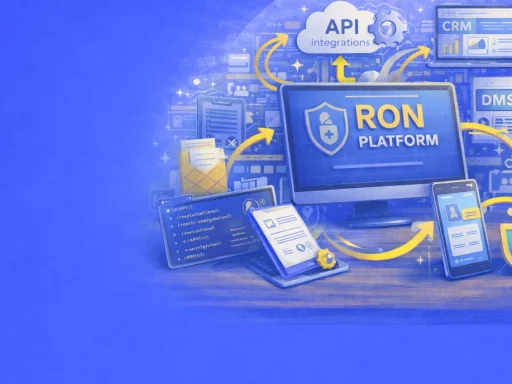
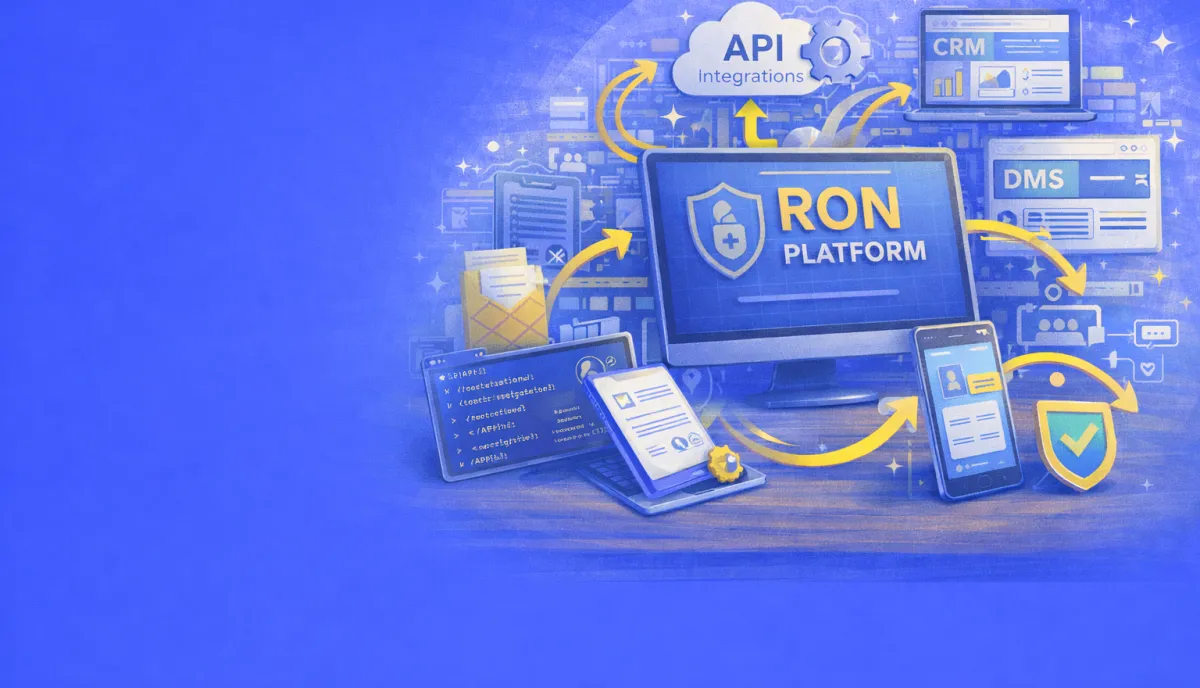

Remote online notarization does not exist in isolation. For businesses that handle significant notarization volume, the real value emerges when RON platforms connect seamlessly with the systems already running your operations. Customer relationship management tools, document management systems, closing software, and automated workflows all benefit from direct integration with notarization services.
Understanding how RON APIs work, what integration options exist, and how to build effective automated workflows helps businesses extract maximum value from their notarization investment while reducing manual effort across their entire document lifecycle.
Why Integration Matters
Manual document handling creates friction at every step. Someone must download a document from one system, upload it to another, track status through email, download completed files, and re-upload them to their final destination. Each handoff introduces delay, creates opportunity for error, and consumes staff time that could be spent on higher-value work.
Integrated systems eliminate these handoffs. Documents flow automatically from origination through notarization to final storage. Status updates propagate in real time. Completed documents return to source systems without human intervention. The notarization step becomes invisible to everyone except the signer and notary.
For title companies closing hundreds of transactions monthly, this automation translates to measurable efficiency gains. While for law firms managing large document volumes, integration reduces administrative overhead while maintaining consistent compliance records. For any organization where notarization is a regular operational requirement, API integration transforms notarization from a bottleneck into a seamless workflow step.
Understanding RON APIs
Application programming interfaces allow different software systems to communicate with each other. A RON platform’s API provides programmatic access to notarization capabilities, letting external applications create sessions, upload documents, retrieve completed files, and monitor status without anyone logging into the RON platform directly.
REST API Architecture
Most RON platforms implement REST APIs that communicate using standard HTTP methods and JSON data formats. This architecture has become the industry standard because it works with virtually any programming language and integrates easily with existing web-based systems.
A typical REST API interaction follows a predictable pattern. Your application sends an HTTP request to a specific endpoint URL, including authentication credentials and any required data. The RON platform processes the request and returns a response containing the requested information or confirmation of the completed action.
Common REST API operations for notarization include creating new transactions, uploading documents, specifying signers and their contact information, scheduling sessions, checking transaction status, and downloading completed documents. Each operation corresponds to a specific endpoint with defined input parameters and response formats.
Authentication Methods
API authentication ensures that only authorized applications can access your notarization account. Two common approaches are API keys and OAuth 2.0 tokens.
API keys are simple alphanumeric strings that identify your application. You include the key in request headers, and the platform validates it against your account. API keys work well for server-to-server integrations where the key can be stored securely. They should never be exposed in client-side code where users might see them.
OAuth 2.0 provides more sophisticated authentication, particularly for applications where end users need to authorize access to their own accounts. The OAuth flow involves redirecting users to the RON platform for login, receiving an authorization code, and exchanging that code for access tokens. This approach separates user authentication from your application’s credentials.
Most enterprise integrations use API keys for backend automation, while OAuth becomes relevant for applications that serve multiple organizations or require user-level permissions.
Rate Limits and Quotas
APIs typically impose limits on how frequently you can make requests. These rate limits prevent any single integration from overwhelming the platform and ensure consistent service for all users. Common limits might allow 100 requests per minute or 10,000 requests per day.
Well-designed integrations respect these limits by implementing retry logic with exponential backoff. If a request fails due to rate limiting, the integration waits before trying again, increasing the wait time with each subsequent failure. This approach prevents cascading failures while ensuring eventual completion.
Some platforms offer higher rate limits for enterprise customers or provide dedicated API capacity for high-volume integrations. When planning significant automation projects, discuss your expected volume with your RON provider to ensure adequate capacity.
Core API Capabilities
RON APIs typically expose several categories of functionality that enable comprehensive integration scenarios.
Transaction Management
Transaction management endpoints handle the core notarization workflow. Creating a new transaction typically requires specifying the document or documents to be notarized, the signer or signers involved, and any scheduling preferences.
A typical transaction creation request might include the signer’s name, email address, and phone number; the documents as uploaded files or URLs; notary assignment preferences; and callback URLs for status notifications. The API returns a transaction identifier that you use for all subsequent operations related to that transaction.
Status endpoints allow checking where a transaction stands in the workflow: created, documents uploaded, identity verification in progress, session scheduled, session completed, or documents available for download. Polling these endpoints or subscribing to webhooks keeps your systems informed of progress.
Document Handling
Document endpoints manage the files that move through the notarization process. Upload endpoints accept documents in common formats, typically PDF, and associate them with specific transactions. Some platforms support uploading documents from URLs rather than direct file uploads, simplifying integration with cloud storage systems.
After notarization completes, download endpoints provide access to the signed and sealed documents. These completed files include the notary’s digital signature, timestamp, and any audit trail information embedded in the document. Some platforms provide separate endpoints for the notarized documents and for the session recording.
Document preparation endpoints may allow specifying where signatures and notary seals should appear, either through coordinate positions or by detecting signature tags embedded in the document. This preparation reduces manual work during the notarization session itself.
Identity Verification
Identity verification endpoints expose the KBA (knowledge-based authentication) and credential analysis components of the notarization process. While signers typically complete identity verification through the RON platform’s interface, APIs may provide endpoints to check verification status, retrieve verification results, or pre-populate signer information.
Some integrations use identity verification APIs to confirm signer identity before even creating a notarization transaction, ensuring that only verified individuals proceed to document signing. This approach catches identity issues early, before scheduling notary time.
Journal and Audit Trail
Notary journal endpoints provide access to the official record of notarization activities. State laws require notaries to maintain journals documenting each act performed, and electronic journals capture this information automatically. APIs may expose journal search, export, and reporting functionality.
Audit trail endpoints return detailed records of every action taken during a transaction: when documents were uploaded, when verification was attempted, when the session started and ended, and what the notary attested. These comprehensive records support compliance requirements and provide evidence in case of disputes.
Webhook Event Notifications
While APIs allow your application to request information from the RON platform, webhooks work in the opposite direction. The RON platform sends notifications to your application when specific events occur, eliminating the need for constant polling.
How Webhooks Work
You configure webhooks by providing a URL endpoint in your application that can receive HTTP POST requests. When a relevant event occurs, such as a completed notarization, the RON platform sends a request to your endpoint containing event details in JSON format.
Your endpoint receives the request, processes the event data, and returns a success response. If your endpoint fails to respond or returns an error, most platforms retry the webhook delivery several times before giving up. Designing your webhook handler to process quickly and reliably ensures you receive all notifications.
Common Webhook Events
Typical webhook events correspond to transaction milestones. Transaction created events fire when a new notarization request enters the system. Document uploaded events confirm successful file transfers. Verification completed events indicate that signer identity confirmation succeeded or failed.
Session started and session completed events mark the beginning and end of the actual notarization meeting. Document available events signal that completed files are ready for download. Failed or canceled events notify your system when transactions do not complete successfully.
Some platforms provide granular events for specific workflow steps, while others offer only major milestone notifications. Understanding your platform’s webhook capabilities helps you design appropriate response logic.
Webhook Security
Securing webhook endpoints prevents malicious actors from sending fake events to your application. Common security measures include webhook signatures, IP allowlisting, and shared secrets.
Webhook signatures involve the RON platform including a cryptographic signature in request headers, calculated using a shared secret and the request body. Your application recalculates the signature and compares it to the provided value, rejecting requests that do not match. This approach ensures that only the legitimate RON platform can send valid webhooks.
IP allowlisting restricts your webhook endpoint to accept requests only from known RON platform IP addresses. While simpler than signature verification, this approach requires maintaining an accurate IP list and may not work with platforms using dynamic IP allocation.
CRM Integration Patterns
Customer relationship management systems sit at the center of many business operations. Integrating notarization with CRM creates unified customer records and automated workflows.
Salesforce Integration
Salesforce’s dominant market position has made it a priority integration target for RON platforms. Several platforms offer native Salesforce applications available through the AppExchange, providing point-and-click integration without custom development.
These integrations typically allow initiating notarization requests directly from Salesforce records. A sales representative viewing an opportunity can click to send documents for notarization, with signer information automatically populated from the contact record. Transaction status appears within Salesforce, and completed documents automatically attach to the record.
For deeper integration, Salesforce’s extensive API and automation capabilities enable custom workflows. Process Builder or Flow can trigger notarization requests based on record changes. Apex code can implement complex logic around document selection and routing. Platform Events can receive webhook notifications and update records accordingly.
The real estate industry has developed specialized Salesforce solutions like AscendixRE and Propertybase that include document workflows. These solutions often integrate with e-signature and notarization platforms, providing end-to-end transaction management within Salesforce.
Other CRM Platforms
HubSpot, Microsoft Dynamics, Zoho, and other CRM platforms also support integration through their respective APIs. While fewer RON platforms offer pre-built integrations for these systems, API-based integration remains straightforward for organizations with development resources.
The integration pattern remains consistent regardless of CRM. Bidirectional data flow keeps contact information synchronized. Workflow automation triggers notarization at appropriate stages. Completed documents return to customer records. Status visibility keeps teams informed without switching between systems.
Title and Closing Software
Title companies and settlement agents often use specialized software like Qualia, SoftPro, or Resware for transaction management. These systems handle the unique requirements of real estate closings, including document preparation, wire transfer management, and regulatory compliance.
RON platforms targeting the real estate market typically prioritize integration with closing software. These integrations enable ordering notarization directly from the closing system, with documents and party information flowing automatically. Completed notarizations update the closing file without manual intervention.
Snapdocs has built significant market presence by offering RON integration that works across multiple closing platforms. Their approach checks loan characteristics against RON eligibility requirements and manages notary assignment, simplifying adoption for title operations that might otherwise need to evaluate RON compatibility for each transaction manually.
Document Management System Connections
Document management systems (DMS) provide centralized storage, version control, and access management for organizational documents. Connecting notarization to DMS ensures that notarized documents flow into proper storage with appropriate metadata.
SharePoint Integration
Microsoft SharePoint serves as the document management backbone for many organizations. SharePoint’s extensive integration capabilities, including APIs, webhooks, and Power Automate connectors, enable multiple integration approaches.
Direct API integration allows custom applications to upload completed notarizations to specific SharePoint libraries, applying metadata tags for searchability and compliance. SharePoint’s retention policies and records management features then govern the document lifecycle.
Power Automate (formerly Microsoft Flow) provides a no-code path to SharePoint integration. Workflows can monitor for completed notarizations via webhook, download the documents, and upload them to SharePoint with appropriate properties. This approach requires no custom development and can be configured by power users.
Microsoft’s native eSignature capability for SharePoint integrates with DocuSign and Adobe Sign, though notarization support varies. Organizations using these signature platforms may find existing document workflows extend naturally to include notarization.
Cloud Storage Services
Google Drive, Dropbox, Box, and other cloud storage services offer APIs that enable document upload after notarization. Integration typically involves downloading completed documents from the RON platform and uploading them to the designated storage location.
These integrations often use folder structures or naming conventions to organize notarized documents. A completed mortgage might route to a specific client folder, named according to transaction date and document type. Metadata capabilities vary by platform but generally allow tagging documents with relevant properties.
Enterprise Content Management
Large organizations may use enterprise content management (ECM) systems like OpenText, Hyland, or Laserfiche for document governance. These systems typically offer robust APIs for document ingestion, though integration complexity increases with governance requirements.
ECM integration must often account for classification schemes, retention schedules, and access controls. Documents may require specific metadata fields populated before the system accepts them. Working with ECM administrators during integration planning ensures that notarized documents meet all governance requirements.
Building Automated Workflows
Individual integrations become powerful when combined into automated workflows that handle complete business processes from beginning to end.
Workflow Automation Platforms
Platforms like Zapier, Make (formerly Integromat), n8n, and Microsoft Power Automate enable building multi-step workflows that connect disparate systems without custom code. These tools provide visual workflow builders, pre-built connectors, and trigger-action logic that technical and non-technical users can configure.
A typical workflow might begin when a record reaches a specific stage in your CRM. The workflow retrieves the relevant documents from your document management system, creates a notarization request via API, monitors for completion via webhook, downloads the completed documents, uploads them to permanent storage, updates the CRM record, and notifies relevant parties via email or Slack.
Each step in this workflow would require manual effort without automation. With workflow automation, the entire process runs without human intervention, completing in minutes what might otherwise take hours of scattered attention.
No-Code Integration Options
No-code platforms democratize integration by enabling business users to build automations without programming knowledge. Visual interfaces present triggers, actions, and logic as configurable blocks that users connect to create workflows.
Zapier integrates with over 7,000 applications, including many document and productivity tools. While direct RON platform integrations may be limited, Zapier’s webhook triggers can receive notifications from any platform that supports webhooks. Custom webhook actions can send data to RON platform APIs. This flexibility enables integration even without official Zapier apps.
Make offers more sophisticated logic capabilities, including complex branching, iteration, and data transformation. For workflows requiring conditional routing or processing of multiple items, Make often provides more flexibility than simpler tools.
n8n provides similar capabilities with a focus on self-hosting and extensibility. Organizations with strict data residency requirements or those wanting complete control over their automation infrastructure may prefer n8n’s deployment flexibility.
Low-Code Development
When no-code tools reach their limits, low-code platforms provide a middle ground between visual builders and custom development. These platforms allow inserting code snippets within visual workflows, enabling custom logic without building complete applications.
Low-code approaches work well for data transformation, custom API interactions, and complex decision logic. A workflow might use visual components for most steps but include JavaScript code for parsing document metadata or calculating deadlines.
Zapier supports JavaScript and Python code steps within workflows. Make offers similar code module capabilities. These hybrid approaches provide flexibility while maintaining the rapid development benefits of visual builders.
Custom Development
Organizations with development teams and complex requirements may build custom integrations using RON platform APIs directly. Custom development offers maximum flexibility and can implement any workflow logic the APIs support.
Custom integrations typically use server-side languages like Python, Node.js, Java, or C#. Backend services handle API authentication, document processing, webhook reception, and database operations. Frontend components may provide dashboards or administrative interfaces for monitoring and configuration.
The trade-off with custom development is ongoing maintenance responsibility. API changes, security updates, and feature enhancements require development attention. Organizations must weigh this maintenance burden against the flexibility benefits when choosing between custom and platform-based integration approaches.
Integration Architecture Considerations
Successful integrations require attention to architecture decisions that affect reliability, security, and maintainability.
Error Handling and Retry Logic
Network failures, API errors, and transient issues occur in any distributed system. Robust integrations anticipate these failures and handle them gracefully.
Retry logic attempts failed operations multiple times before giving up. Exponential backoff increases wait time between retries, preventing overwhelm during outages. Dead letter queues capture failed operations for manual review when automatic retry exhausts.
Idempotency ensures that retrying an operation produces the same result as executing it once. Creating a transaction should not create duplicates if the initial request succeeded but the response was lost. API designs often provide idempotency keys or check for existing records before creating new ones.
Comprehensive logging captures request and response details for troubleshooting. When integrations fail, logs provide the information needed to diagnose and resolve issues quickly.
Security Best Practices
Integration security protects both your systems and the sensitive documents flowing through them.
Credential management keeps API keys and secrets out of code repositories. Environment variables, secrets managers, or vault services store credentials securely. Rotation schedules ensure that compromised credentials have limited exposure windows.
Transport encryption using HTTPS protects data in transit between systems. Certificate validation prevents man-in-the-middle attacks. Modern TLS versions (1.2 or 1.3) provide current security standards.
Access controls limit which systems and users can invoke integrations. Service accounts with minimal necessary permissions reduce blast radius if credentials are compromised. Audit logging tracks who invoked what integrations when.
Data handling respects the sensitivity of notarized documents. Temporary files are deleted after processing. Completed documents route directly to secure storage rather than lingering in intermediate locations.
Scalability Planning
Integrations that work for ten transactions per day may struggle at a thousand. Planning for scale ensures integrations grow with your business.
Asynchronous processing decouples request submission from processing completion. Rather than waiting for each API call to complete, integrations submit work to queues and process results as they arrive. This approach handles volume spikes gracefully.
Connection pooling reuses network connections rather than establishing new ones for each request. Database connection pools similarly reduce overhead. These optimizations matter more as request volume increases.
Monitoring and alerting provide visibility into integration health. Metrics on request volume, error rates, and processing times reveal problems before they become critical. Automated alerts notify teams when metrics exceed normal ranges.
Industry-Specific Integration Patterns
Different industries have developed integration patterns that address their specific workflow requirements.
Real Estate and Title
Real estate transactions involve multiple parties, numerous documents, and strict compliance requirements. RON integration in this industry typically connects with closing software, lender systems, and recording offices.
The loan origination system may trigger notarization requests when documents are ready for closing. Closing software manages the notarization session scheduling and tracks completion. Completed documents may route automatically to county recording systems in jurisdictions that accept electronic recording.
Integration with title production systems ensures that the closing package reflects notarization status. Escrow disbursement may depend on confirmed completion of all required notarizations.
Financial Services
Banks, lenders, and financial services firms use notarization for loan documents, account agreements, and various customer transactions. Integration patterns connect notarization to core banking systems, loan origination platforms, and customer portals.
Customer-facing portals may initiate notarization requests and present the signing interface directly, creating a seamless experience where customers complete notarization without leaving the institution’s digital environment. APIs enable this embedded experience while maintaining compliance with notarization requirements.
Risk and compliance systems may receive notification of completed notarizations for audit purposes. Document retention systems capture notarized documents according to regulatory requirements.
Legal Services
Law firms use notarization for affidavits, contracts, real estate documents, and estate planning instruments. Integration may connect with practice management systems, document assembly tools, and client portals.
Document assembly systems can prepare documents and automatically initiate notarization requests when documents are ready. Matter management systems track notarization status alongside other case activities. Client portals provide visibility into document status without requiring phone calls or emails.
For firms handling high volume work like residential closings, automation between document preparation and notarization significantly reduces administrative overhead per transaction.
Evaluating Integration Capabilities
When selecting a RON platform, integration capabilities deserve careful evaluation alongside core notarization features.
API Documentation Quality
Well-documented APIs reduce integration time and frustration. Look for comprehensive endpoint documentation, code examples in multiple languages, sandbox environments for testing, and responsive developer support.
API documentation should cover authentication methods, request and response formats, error codes, and rate limits. Interactive documentation that allows testing endpoints directly provides hands-on learning opportunities.
Pre-Built Integrations
Native integrations with your existing systems eliminate development work. Evaluate which CRM platforms, document management systems, and workflow tools have official integrations. Consider the depth of these integrations: do they support your specific use cases, or just basic functionality?
Pre-built integrations for industry-specific software like closing platforms or practice management systems may be particularly valuable depending on your industry.
Webhook Support
Robust webhook support enables responsive integrations. Evaluate which events trigger webhooks, how webhook security is handled, and what retry policies apply to failed deliveries. Webhook management interfaces that show delivery history and allow re-sending failed webhooks simplify troubleshooting.
Developer Experience
The overall developer experience affects how quickly and successfully you can build integrations. SDKs in common languages reduce boilerplate code. Sandbox environments allow testing without affecting production. Responsive technical support resolves integration questions quickly.
Consider requesting a technical evaluation period to test integration capabilities before committing. Building a proof-of-concept integration reveals practical considerations that documentation alone cannot convey.
Frequently Asked Questions
What is a RON API?
A RON API is a programming interface that allows external software applications to interact with a remote online notarization platform. Through API calls, your systems can create notarization requests, upload documents, check status, and download completed files without manual platform access.
Do I need developers to integrate RON with my systems?
Not necessarily. No-code platforms like Zapier and Make can connect RON platforms to many common business applications through visual workflow builders. However, complex integrations or custom requirements may benefit from developer involvement.
What is a webhook?
A webhook is an automated message sent from one application to another when a specific event occurs. RON platforms send webhooks to notify your systems when transactions complete, documents become available, or other significant events happen.
Can RON integrate with Salesforce?
Yes, several RON platforms offer native Salesforce integrations available through the AppExchange. These integrations typically allow initiating notarization from Salesforce records and returning completed documents automatically.
How do I secure my API integration?
Secure integrations by storing credentials in secrets managers rather than code, using HTTPS for all connections, implementing webhook signature verification, applying minimal necessary permissions, and maintaining audit logs of integration activity.
What document management systems work with RON?
Most document management systems with APIs can integrate with RON platforms, including SharePoint, Google Drive, Dropbox, Box, and enterprise content management systems. Integration typically involves API calls to upload completed documents with appropriate metadata.
How do I handle API errors in my integration?
Implement retry logic with exponential backoff, log request and response details for troubleshooting, use dead letter queues for operations that fail repeatedly, and set up monitoring alerts for error rate increases.
Can I embed notarization in my own application?
Many RON platforms support embedded or white-label implementations where the notarization interface appears within your application rather than redirecting users to the RON platform. API documentation describes iframe embedding options and UI customization capabilities.
Conclusion:
API integration transforms remote online notarization from a standalone service into a seamlessly connected component of your business operations. Documents flow automatically from origination systems through notarization to final storage. Status updates propagate in real time. Manual handoffs disappear.
Whether you use no-code workflow platforms, pre-built integrations, or custom development, the investment in integration pays dividends through reduced manual effort, faster processing times, and consistent compliance. Organizations that notarize significant document volumes find that integration costs recover quickly through operational efficiency gains.
The integration landscape continues to evolve as RON platforms expand their API capabilities and workflow automation tools grow more sophisticated. Building integrations today positions your organization to benefit from these ongoing improvements while immediately capturing efficiency gains.
For businesses seeking a RON platform with robust API capabilities and integration flexibility, BlueNotary provides the technical foundation for connecting notarization seamlessly with your existing workflows.