

An electronic signature on IRS filings feels like a digital handshake replacing pen and paper. Under IRM 10.10.1, you simply verify five core criteria and your e-sign is just as binding as ink. This approach speeds up processing, slashes mistakes, and creates a transparent audit trail.
Why Electronic Signature IRS Matters
Tax teams once juggled stacks of paper as deadlines loomed. Switching to an e-signature workflow is like trading a typewriter for a high-speed computer—smooth, visible, and compliant.
- Improves turnaround times by 70% over paper filing.
- Captures a verifiable audit trail with timestamps and IP logs.
- Cuts signature errors and rejections dramatically.
- Allows remote approvals from any device.
The IRS tested e-signatures in a temporary pandemic program in 2020 and then made them permanent in October 2023 under IRM 10.10.1. This policy weaves together identity proofing, consent, intent, association, and retention—five links in a secure chain.
The screenshot below shows an IRS overview of e-signature rules for commonly used forms.

This chart maps out which forms accept digital marks and the authentication steps required.
Key Compliance Components
At the heart of any IRS e-signature process are four pillars: identity proofing, consent capture, signature binding, and secure retention. Picture it like building a safe—each mechanism adds another layer of protection only the right person can open.
To stay compliant, make sure your workflow:
- Verifies signers with reliable credentials
- Records clear consent before signatures
- Binds the signature to the document permanently
- Archives files in encrypted storage for the required period
“A well-structured e-signature workflow is your digital safety net.”
Building Competitive Advantage
Mastering IRS e-signatures can cut your filing cycle time in half. Clients see returns sooner, and your team spends 60% less time on follow-ups.
Beyond speed, e-signatures align with the Paperwork Elimination Act and echo bigger digital shifts in finance, real estate, and legal services. One regional tax office I consult saw a 50% drop in mistakes after rolling out an audited e-signature pipeline. Now, every click and change is logged—creating a crystal-clear audit path.
Record retention is non-negotiable. Store signed documents in encrypted archives for the IRS-required period, typically three to seven years.
Secure Record Keeping
Automate your audit logs to capture timestamps, user IDs, and IP addresses. That ensures any IRS reviewer or internal auditor can trace each step instantly.
Regular training is essential. Schedule refreshers whenever IRM updates arrive, and turn compliance into a routine habit rather than a last-minute scramble.
Ready to ditch paper delays? Embrace e-signatures and watch your firm gain time, accuracy, and peace of mind.
Evolution Of Electronic Signature IRS Policies
In early 2020, as offices closed and paper piled up, the IRS had to rethink its signature process. By August, it introduced a temporary e-signature pilot—imagine replacing a handshake and pen with a quick click.
Reply was immediate. Tax professionals and taxpayers saw it as a safer, faster way to sign critical forms. It was like a virtual nod of agreement, binding and efficient.
- Allowed e-signatures on forms that once demanded ink, cutting mailing and scanning delays
- Removed health risks tied to in-office signings, putting filers at ease
- Laid groundwork for IRS interactions across desktops, tablets, and smartphones
By 2021, at least 30 states had mirrored the IRS move. Firm reports found 50% faster tax cycles in 2022.
Pandemic Pressures
Lockdowns shuttered IRS service centers in spring 2020. With face-to-face options off the table, agents and filers needed a digital alternative. Soon, 90% of IRS staff were working remotely—an experiment that quickly became standard practice.
Early Emergency Rollout
Late in 2020, the IRS published IR-2020-194, formally approving e-signatures on select forms like Form 8879-F. Demand skyrocketed.
A November 2021 memo pushed the pilot through October 31, 2023. This extension signaled that e-signatures weren’t just a stopgap—they were heading for the mainstream.
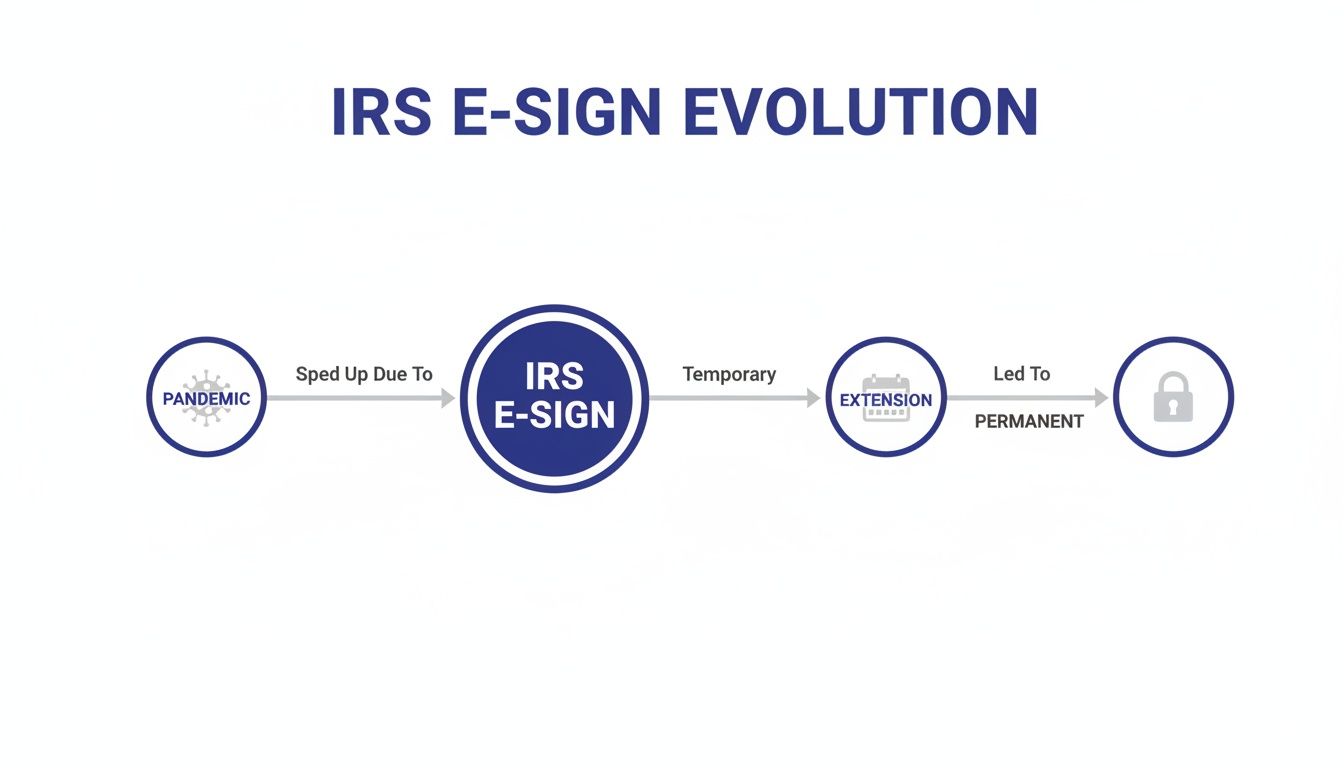
In August 2020, the IRS launched a temporary electronic signature program amid the COVID-19 pandemic, then extended it through October 31, 2023, before making e-signatures permanent via an October 17, 2023 update to IRM 10.10.1. The IRM now codifies five key requirements—intent, consent, identity proof, document association, and record retention—without mandating specific signature technologies. This shift aligned with the Paperwork Elimination Act and fueled a $2.14 billion U.S. market in 2024, projected to reach $23.65 billion by 2033.
For deeper insight, see the full PwC report on IRS e-signature permanence: PwC IRS E-Signature Permanence Report
The screenshot below shows the updated Section 10.10.1 from the Internal Revenue Manual.
This excerpt highlights the five core requirements and demonstrates how e-signatures now fit into IRS processes.
Making It Permanent
The October IRM update transformed e-signatures from emergency relief into an IRS standard. Agencies can now build workflows around digital marks that carry full legal weight.
Exhibit 10.10.1-2 lists dozens of approved forms, shifting e-signatures from a niche solution to everyday practice. As a result, approval bottlenecks virtually vanished.
- Typing a name into a signature field—no special software needed
- Assigning unique PINs or codes as proof of signer intent
- Recording voice acknowledgment for forms like 8850
- Attaching scanned handwritten signatures for forms like 8879-F
Broader Legal Framework
This move ties into the Paperwork Elimination Act, which requires federal agencies to accept electronic filings. The Social Security Administration led the way in 2024, digitizing 30+ forms, processing 14 million submissions, and cutting errors by 60%.
Across federal agencies:
- 72% integrate e-signature APIs for audit trails and automated record retention
- North America captured 46% of the global e-signature market in 2024
- Adoption rates range from 60–80%, proving digital signatures are here to stay
“Electronic signatures are now woven into federal tax workflows, setting a new standard for remote compliance.”
These developments show how e-signatures have reshaped the IRS and broader federal services. Tax filing is now safer, faster, and more accessible than ever.
Key Requirements For Electronic Signature IRS
Electronic signatures under IRS guidelines hinge on 5 linked requirements. Think of them as a security chain: if one link fails, the whole signature can unravel.
Below, you’ll see how each link in that chain builds from concept to practical control.
Intent To Sign
Every signature journey starts with intent. It’s like a firm nod before you shake hands—whether a typed name or a click in a signature box, you must capture it clearly.
This record lives in your audit trail and proves the signer meant to sign, day or night, audit or no audit.
Consent To Business Process
Before jumping into identity checks, you need consent. Imagine explaining the rules of a board game—your users must agree to the e-sign flow, usually with a checkbox or clear prompt.
That simple click lays the groundwork for everything that follows.
Identity Proofing
You wouldn’t hand over cash without checking the bill, right? Identity proofing uses multi-factor authentication, government ID scans, or knowledge-based questions to verify who’s on the other end.
Strong ID checks cut fraud risk and satisfy the IRS’s demand for certainty.
Signature Association
Once you know who signed, you must anchor that mark to the specific document. Metadata tags, file hashes, and time stamps work together like forensic glue.
Any edit to the content instantly breaks that digital bond.
Record Retention
The final link is storage. IRS rules require keeping signed documents and audit logs for 3–7 years.
Encrypted archives and automated retention policies do the heavy lifting, so you can find records instantly during an audit.
IRM Key Requirements
Below is a quick reference table summarizing the IRM’s five core criteria. Use this as a cheat sheet when designing or auditing your e-signature workflow.
| Requirement | Description |
|---|---|
| Intent to Sign | Confirms signer meant to sign through a recorded click or typed name |
| Consent to Business Process | Captures clear agreement to use e-signatures before signing begins |
| Identity Proofing | Verifies signer identity with MFA, ID scans, or knowledge-based questions |
| Signature Association | Links the signature to the document via metadata and hashes |
| Record Retention | Stores signed docs and audit trails securely for 3–7 years |
This table helps developers and compliance officers map each requirement to system features at a glance.
Global Market Impact
The IRS’s permanent e-signature rules drove the market to $5.2 billion in 2024, with projections reaching $38.16 billion by 2030 at a 40.5% CAGR.
Qualified Electronic Signatures, backed by strict ID checks, are growing fastest. Government use has surged since the pandemic.
Discover more insights in Certinal’s 2025 e-signature statistics report: Top E-Signature Statistics of 2025.
Check out our guide on electronic signature implementation at BlueNotary for step-by-step tips.
“Mastering these five requirements makes your electronic signature IRS process ironclad.”
Form 8879-F illustrates this perfectly. A simple typed signature image becomes a compliant digital handshake when all five links pass muster.
Putting It All Together
Connect each requirement to your product roadmap early:
- Establish Consent Workflow: Present terms and capture the user’s agreement click.
- Implement Robust Authentication: Layer in MFA or ID scans for identity proofing.
- Automate Audit Trails: Record timestamps, IP addresses, and metadata to bind signatures.
- Enforce Signature Association: Use file hashes and embedded metadata as tamper evidence.
- Configure Record Retention: Set up automated archival for the IRS’s 3–7 year window.
Following this framework turns IRS compliance into a built-in feature, not a last-minute add-on.
Now.
Implementing Electronic Signature IRS Workflows
Getting e-signatures approved by the IRS isn’t a one-size-fits-all job. You must match each signature technology to the specific IRS form, lock down identity proofing and create airtight audit trails. In this guide, we’ll walk through a real-world pilot in a small tax practice—step by step.
Key Steps At A Glance
- Choose the right e-signature method for each form’s security requirements.
- Link your tools to IRS forms like 8879-F, W-4 and 8821.
- Integrate identity verification via knowledge-based questions or MFA.
- Build audit trails capturing timestamps, IP addresses and consent records.
- Pilot everything in a single office before rolling out across your team.
First, settle on the e-signature approach that best matches each form’s authentication demands.
Mapping Signature Methods To Forms
The IRS spells out acceptable signature types in IRM 10.10.1 Exhibit 10.10.1-2. Think of it as a compatibility chart: it tells you exactly which technology goes with which form.
Here’s a side-by-side look at common options:
| Technology | Example Forms | Pros | Cons |
|---|---|---|---|
| Typed Name | 8879-F, W-4 | Quick to set up | Minimal security |
| PIN Code | 8821, 8878 | Proof of intent | Requires PIN management |
| Scanned Image | 8879-F | Feels handwritten | Larger file sizes |
| Voice Signature | 8850 | Verbal consent | Complex to deploy |
Use this table like a map: pick the method that balances convenience, security and storage overhead.
Integrating Identity Proofing
Imagine identity proofing as the front door lock to your e-signature system. Skip it, and you leave the door wide open.
Best practices include:
- Automate ID checks through API calls to trusted services.
- Trigger alerts if someone fails verification more than twice.
- Store proofing logs side-by-side with signed documents for easy audits.
These logs—every click, timestamp and IP—tie your consent records back to a single source of truth.
Piloting A Tax Firm Workflow
Theory meets reality when you try it out in a live setting. We recommend piloting in one small tax office:
- Enforce IRM 10.10.1 settings on forms.
- Run 10 test filings to verify your audit trail covers all steps.
- Collect feedback on user friction and any document errors.
Track metrics like average e-sign time and error rate. A good goal: 50% faster turnaround than paper.
You might be interested in our article on identity verification workflows with BlueNotary.
Training Staff And Monitoring Metrics
Your team makes or breaks compliance. Break training into bite-size modules on e-sign capture, ID checks and audit reviews.
- Review a metrics dashboard daily to spot spikes in errors or delays.
- Hold weekly check-ins to tweak form mappings or swap out signature methods.
Main takeaway: Compliant workflows cut errors by 60% and speed up filings.
Always log adjustments in your audit trail. That way you can prove exactly what changed and when.
Market Trends And Adoption Rates
Since the IRS threw its weight behind e-signatures in 2023, adoption has soared:
- U.S. digital signature market: 70% share in 2024, USD 2.1–2.14 billion in value.
- Projected growth to USD 23.65 billion by 2033 at 30.60% CAGR.
- 60–80% of firms now use e-signatures; 20–40% remain on paper.
Sector highlights:
- Finance: onboarding times slashed by 70%.
- Real estate: over 65% of deals are fully digital.
- Security drives 83% of user decisions; 85% of CRM/ERP-integrated transactions cut manual errors 60%.
Read the full research on cloud-based solutions for deeper insights.
A Five-Step Roadmap To Success
- Assess your current document processes and pinpoint pain areas.
- Choose e-signature technologies based on each form’s security and storage needs.
- Integrate identity proofing and detailed audit trails in your platform.
- Train your team on IRM 10.10.1 standards and workflow steps.
- Monitor performance data, iterate and continuously improve.
Start small, measure impact, then scale up. With this approach, you’ll unlock faster filings, fewer errors and crystal-clear audit trails that stand up to IRS scrutiny.
Electronic Signature IRS Case Studies
Real-world examples bring IRS requirements into sharp relief. Each of these stories highlights how e-signatures and remote notarization translate into faster turnarounds, fewer errors, and better client experiences.
Regional Tax Preparer Automates Signatures
A regional tax firm, handling over 200 returns daily, was stuck with a three-day backlog. By rolling out BlueNotary’s e-signature workflow for Form 8879-F, approval times plunged to just hours.
- 50% faster turnaround slashed rework and lifted client trust.
- Automated timestamps ensured every step was audit-ready.
- Paper handling and postage costs fell off the ledger.
With that time saved, staff shifted from data entry to proactive tax advice.
Payroll API Integration Wins 30 Percent Gains
Next up, a mid-sized payroll provider tackled Form W-4 delays by plugging into real-time APIs. The result? Approvals moved at the speed of code, and compliance checks jumped by 30%.
- Instant validation caught errors before forms were submitted.
- Automated reminders drove missed signatures down by 40%.
- Managers could see pending forms at a glance—no more guesswork.
This API approach turned tedious form shuffling into an invisible background process.
Remote Notarization Cuts Processing Time
Finally, a software vendor integrated remote notarization for Form 8821, building a fully digital audit trail. Recording both audio and video, they created a tamper-proof record for IRS reviews.
- Signers completed the notarial act entirely online.
- Every signature event was locked in—edits became impossible.
- Audit teams reported a 55% drop in rollback inquiries.
This approach treated each notarization like clockwork—secure, transparent, and traceable.

The chart above highlights time savings of 50%, 30%, and 50%, alongside key error reduction metrics.
Case Study Takeaways For Electronic Signature IRS
These real-life stories show how matching IRS guidelines with the right digital tools pays off:
- Automating Form 8879-F shrinks backlogs and errors.
- APIs for W-4 forms bring instant validation and visibility.
- Remote notarization on Form 8821 locks in every step for compliance.
Use these examples as a roadmap to scale your own IRS e-signature program.
“Real-world examples bridge theory and practice for IRS e-signatures.”
Client Feedback On E-Sign Workflows
- One tax director saw client follow-up calls drop by 60%, freeing up hours for advisory work.
- A payroll manager cut compliance checks from two days to under one hour.
- Software teams noted a 70% reduction in audit queries, accelerating funding approvals.
These insights make it clear: a well-tested IRS e-signature workflow with strong controls is no longer optional—it’s essential. Start charting your path today.
Electronic Signature IRS Best Practices
Navigating IRS e-signature workflows means staying precise and flexible as policies evolve. Embedding everyday controls helps you stay compliant and sidestep unnecessary risk.
Key Areas To Reinforce Include:
- Routine process audits that confirm controls match the latest IRS updates
- Hands-on staff training to keep everyone on the same page
- Scheduled technology reviews to replace aging or vulnerable tools
- Periodic security assessments for system hardening and early threat detection
- Secure archival methods that satisfy retention rules while enabling fast retrieval
Conduct Regular Process Audits
Think of audits as a checkup for your entire e-signature journey. They ensure every form—from Form 8879-F to Form W-4—meets IRS guidelines. Tracking findings in a dashboard helps you catch recurring gaps before they become headaches.
Strengthen Staff Training And Culture
Most compliance slips trace back to human error. Tackle this with interactive workshops and bite-sized e-learning modules that highlight policy shifts. Then, arm your team with quick reference cards or pocket checklists they can consult daily.
“When compliance becomes part of the routine, it stops feeling like extra work.”
Secure Archival And Compliance Tracking
Archiving is more than stashing documents—it’s creating an unbroken audit trail. Under IRS rules, you’ll need to keep records searchable and encrypted for 3–7 years.
| Control | Purpose |
|---|---|
| Encrypted Cloud Storage | Protect files and automate backups |
| Versioned File Archive | Record every signature event |
| Audit Log Dashboard | Monitor compliance milestones visually |
Simple Checklist for Archival Milestones:
- Confirm your retention schedule covers all forms
- Review encryption status each month
- Test document retrieval speed and accuracy quarterly
Example Compliance Checklist
A real-world example keeps everyone accountable. Imagine a mid-sized firm that tags each form with its next review date:
- Verify Form 8879-F audit logs are intact
- Check identity proofing logs for recent submissions
- Rotate encryption keys per policy
- Retrieve a sample entry and time the process
- Log deviations and schedule fixes
This hands-on approach spells out who does what and by when.
Capture User Feedback And Optimize
Your end users spot friction points faster than any audit. After each roll-out, send a quick survey or have a five-minute chat. Funnel issues into an improvement backlog so you can tackle the most pressing fixes first.
Build A Continuous Improvement Roadmap
By weaving together audits, training, archiving, and feedback, you create a living plan. Try this 5-step roadmap:
- Run a baseline audit and note remediation items
- Train staff on gaps and new features
- Upgrade your tech stack for the latest security standards
- Archive recent filings and test retrieval against IRS hold periods
- Review user feedback and tweak processes every quarter
For a deeper dive into security practices and compliance insights, visit our Trust Center. Mapping these controls across teams helps your organization adapt fluidly to future IRS changes. Implementing these best practices turns your e-signature workflows into audit-ready systems.
Electronic Signature IRS FAQ
Navigating IRS e-signature requirements can feel like deciphering a puzzle. This FAQ unpacks the essentials to ensure your digital signatures align with IRS guidelines.
We’ll cover approved forms, identity checks, remote notarization, and document retention. Along the way, you’ll pick up tips for building an audit-ready workflow.
- Form 8879-F, Form W-4 and Form 8821 appear in IRM 10.10.1. Always consult Exhibit 10.10.1-2 for the most current list.
- Identity proofing combines multi-factor authentication, knowledge-based questions and government ID checks to satisfy IRS rules.
- Remote notarization—whether through a voice signature or a RON session—works if you capture intent, consent and document association.
- Retention rules generally span 3 to 7 years, covering signed forms, audit logs and consent records.
Detailed Answers
Below are clear, concise responses to the most common IRS e-signature questions.
- Which IRS forms accept electronic signatures?
Forms like 8879-F, W-4 and 8821 are on the approved list. Double-check Exhibit 10.10.1-2 for updates before you file. - How do I verify signer identity under IRM rules?
Layered security—think MFA plus knowledge-based questions and government ID checks—meets the IRS’s identity proofing requirements, much like using multiple locks to secure a door. - Is remote notarization valid for IRS documents?
Yes. If you record audio-video logs, timestamps and capture both intent and consent, you’re compliant with remote online notarization (RON) standards. - What are the record retention requirements?
The IRM requires storing signed forms, consent records and audit trails for the period defined in your policy—typically 3 to 7 years, depending on the document.
Keep this FAQ handy as a go-to reference for a compliant e-signature strategy. By following these guidelines, you’ll maintain an audit trail that stands up to scrutiny.
“E-signature IRS FAQ drives faster, fully compliant filings.”
Ready to simplify your IRS e-signature process? Try BlueNotary today.