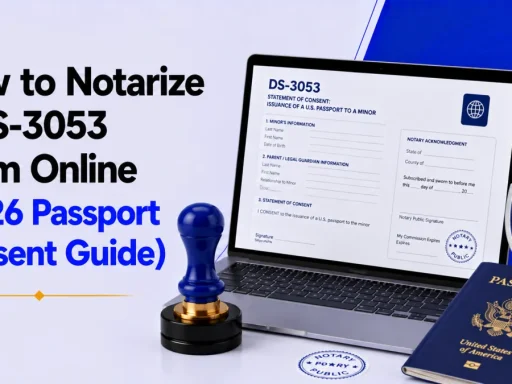
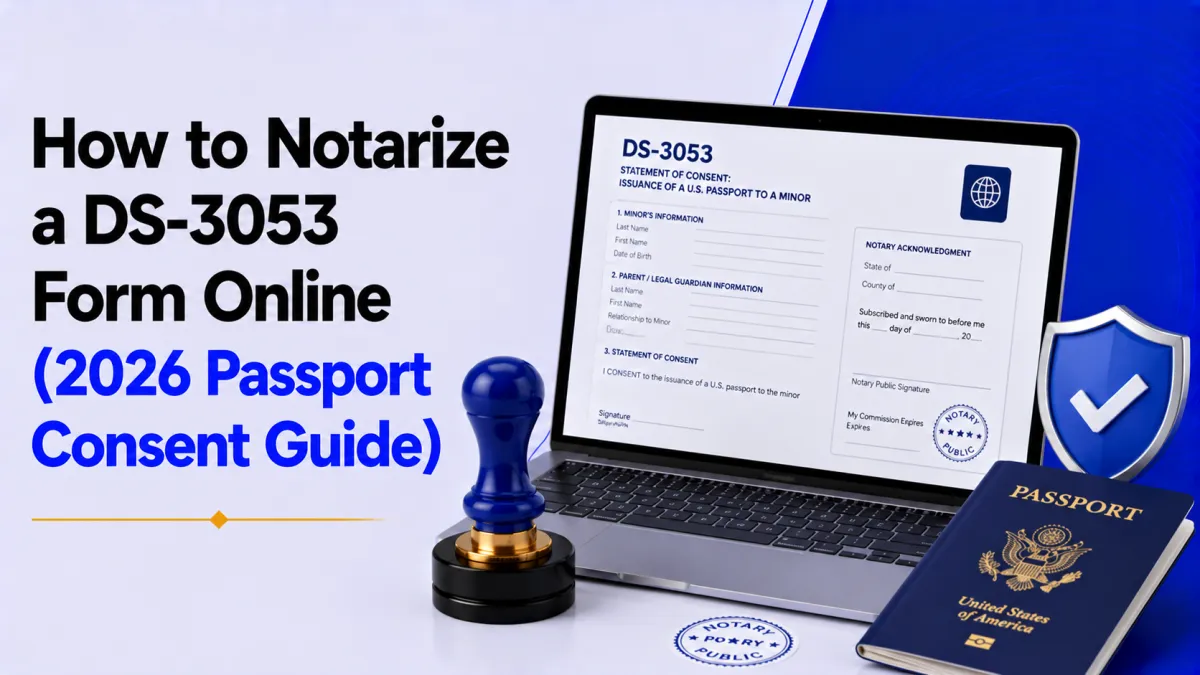

Quick answer: Yes, you can notarize a DS-3053 online. The U.S. State Department accepts a remotely (electronically) notarized Statement of Consent when online notarization is legal in the notary’s state. You must sign and date the form in front of the notary, attach a photocopy of the photo ID you showed, and submit it within 90 days.
What is the DS-3053 form?
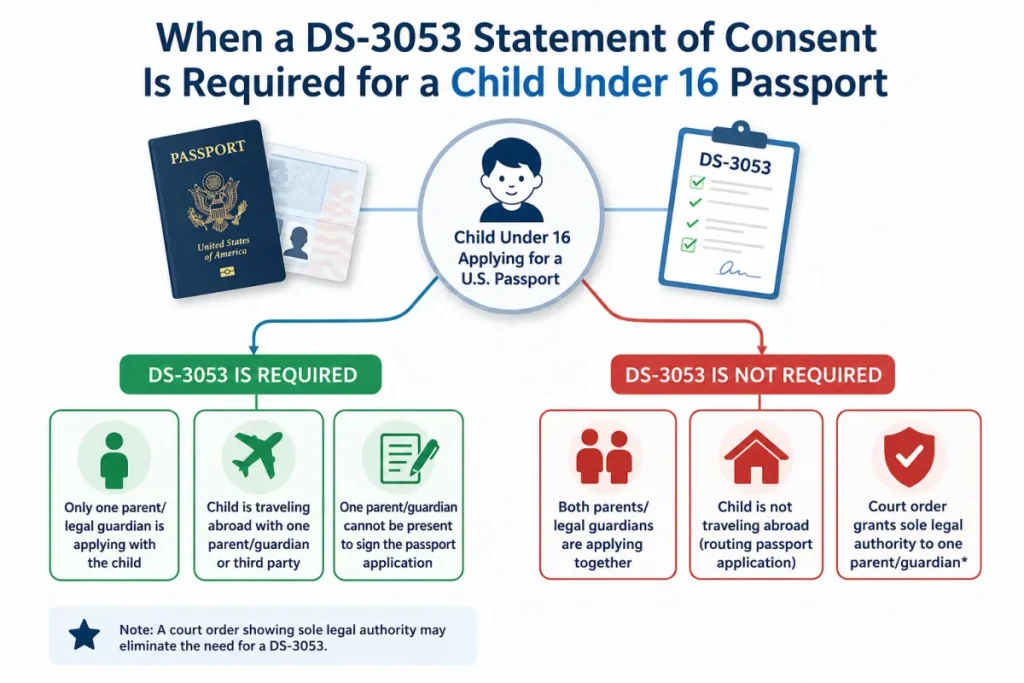
The DS-3053, “Statement of Consent,” is a U.S. Department of State form used when a minor under 16 applies for a passport and one of the two parents or legal guardians cannot appear in person at the application appointment. The absent parent signs the DS-3053 in front of a notary to give consent for the passport to be issued.
The rule behind it is simple: the State Department requires both parents or guardians to approve a child’s passport before it can be issued. When both can show up with the child, no DS-3053 is needed. When one can’t, that parent uses the DS-3053 to consent remotely.
This is where online notarization helps. A parent who is traveling, deployed, working in another state, or living overseas can complete the notarization from a phone or laptop instead of finding a notary in person.
Can you notarize a DS-3053 online?
Yes. You can notarize a DS-3053 online, and the State Department will accept it, with one condition. As the State Department’s own guidance and the DS-3053 instructions confirm, an electronically notarized statement of consent is accepted “if it is allowed under state law.”
That condition is the whole game. Remote online notarization (RON) is legal in nearly every U.S. state, but the notary must be commissioned in a state that authorizes RON and must follow that state’s rules for identity verification and the electronic seal. You can check the current rules for online notarization by state before you start.
A few things the online route does not change:
- Both-parent consent still applies: Each absent parent needs their own DS-3053 (or a notarized statement of consent). If neither parent can attend, the guardian submits a notarized DS-3053 from both parents.
- The notary witnesses the signature live: You sign and date the form during the video session — never before.
- You still attach a photo-ID copy: A photocopy of the ID you showed the notary goes in with the application.
One honest caveat (this matters): A remotely notarized DS-3053 is valid, but the passport acceptance agent reviews every application. For maximum certainty on a tight timeline, some families still choose in-person notarization. If you use RON, confirm online notarization is legal in the notary’s state and keep your audit trail. New to the process? Here’s how online notarization works end to end.
What you need before your online DS-3053 notarization
Have these ready so the session takes minutes, not a second attempt:
- A completed (but unsigned) DS-3053, download the current form from the State Department or use the prefilled DS-3053 template.
- A valid, unexpired government photo ID (driver’s license, passport, or state ID).
- A device with a camera and microphone and a stable internet connection.
- The child’s full legal name and date of birth as they appear on the application.
- A way to photocopy or scan your ID to submit with the form.
Do not sign the DS-3053 yet. The notary must watch you sign and date it live. A pre-signed form will be rejected.
How to notarize a DS-3053 online: step by step
- Confirm online notarization is valid for your situation: Check that RON is legal in the notary’s state and that you genuinely need a DS-3053 (see the sole-custody exceptions below). This 60-second check prevents a wasted session.
- Fill out the DS-3053 completely, but leave the signature blank: Enter the child’s information, your information as the consenting parent, and the statement details. Filling it in advance keeps the live session short.
- Create an account on a remote online notary platform and upload the form: Upload your unsigned DS-3053 as a PDF. Platforms like BlueNotary connect you with a commissioned online notary, usually within about 15 minutes, 24/7.
- Verify your identity: You’ll complete knowledge-based authentication (KBA) questions and a scan of your government photo ID. This credential analysis is what makes the notarization legally sound, and it’s why your ID details must match the form.
- Sign and date the DS-3053 on the live video call: The notary watches you sign and date the form, confirms your identity and willingness, then applies the tamper-evident electronic notary seal and completes the notarial certificate.
- Download the notarized form and your ID copy: Save the completed, sealed DS-3053 and a photocopy of the ID you presented. You’ll submit both with the child’s DS-11 passport application.
- Submit within 90 days: The notarized consent is only valid for 90 days. Get it to the application appointment before the clock runs out.
| Dimension | Online (RON) | In-person notary |
|---|---|---|
| State Dept. acceptance | Accepted if legal in notary’s state | Accepted nationwide |
| Speed | Minutes, notary on demand, 24/7 | Depends on appointment availability |
| Best for | Traveling, deployed, or overseas parents | Parents who want maximum, no-question acceptance |
| ID check | KBA + credential analysis (recorded) | Visual ID inspection |
| Cost | Typically ~$25 per session | $0–$25 depending on location |
| Audit trail | Tamper-evident seal + recorded session | Paper journal entry |
Online notarization is the faster, location-independent option and is legally accepted. In-person remains the most universally frictionless if your acceptance facility is strict and your timeline allows it.
Common mistakes that get a DS-3053 rejected
- Signing the form before the session: The notary must witness the signature. Pre-signed forms are void.
- Letting the 90-day window expire: Consent notarized too early, before you reach the passport appointment, forces a brand-new DS-3053.
- Forgetting the photo-ID photocopy: The State Department requires a copy of the same ID you showed the notary.
- Mismatched names: The parent and child names on the DS-3053 must match the DS-11 application and supporting documents exactly.
- Using a notary in a state where RON isn’t authorized: The notarization must comply with the notary’s state law. Verify with the state notarization requirements guide.
Special situations: overseas, sole custody, and both parents absent
You live or are traveling overseas: A U.S.-commissioned online notary can notarize your DS-3053 remotely, which is often far easier than booking a U.S. embassy notarial appointment. See the broader rules for Americans handling U.S. documents abroad.
You have sole legal custody: You may not need a DS-3053 at all. The State Department accepts, in its place, one of: a court order granting you sole custody or sole permission to apply; a certified copy of the child’s birth certificate or adoption decree listing only you, a certified death certificate of the other parent; or a judicial declaration of incompetence of the absent parent.
Neither parent can appear: A third party or guardian (for example, a grandparent) applying with the child must submit a notarized DS-3053 from both parents, plus a photocopy of both parents’ photo IDs.
Trustworthy guidance, plainly: custody and consent disputes are legal matters. If the other parent objects, or custody is contested, talk to a family-law attorney before applying, a notary cannot resolve a consent dispute. For routine, agreed cases, online notarization simply handles the paperwork.
Conclusion
Notarizing a DS-3053 online is a legitimate, State-Department-accepted way to consent to your child’s passport, as long as the notarization follows the rules in the notary’s state. Get three things right and your application moves forward without a hitch: sign and date the form live in front of the notary (never before), attach a photocopy of the ID you showed, and submit within the 90-day window. If you hold sole custody, check whether a court order or birth certificate lets you skip the DS-3053 entirely. And when custody is contested, settle that with a family-law attorney first, online notarization handles the paperwork, not the dispute.
For a routine, agreed case, you don’t need to hunt for a notary or lose a day to an appointment. Upload your completed DS-3053, verify your ID, and connect with a commissioned online notary on BlueNotary in about 15 minutes, available 24/7, so your child’s passport application stays on schedule. Want a head start? Grab the prefilled DS-3053 template and have it ready before your session.
Frequently asked questions
Does the DS-3053 have to be notarized?
Yes. The DS-3053 Statement of Consent is only valid when signed and dated in front of a notary public. The absent parent signs it before a notary, then includes a photocopy of the photo ID shown to that notary.
Can a DS-3053 be notarized online?
Yes. The State Department accepts an electronically notarized DS-3053 if remote online notarization is legal in the notary’s state. You sign on a live video call, the notary verifies your ID, and applies an electronic seal.
How long is a DS-3053 valid after notarization?
90 days. The notarized consent must be submitted with the child’s passport application within 90 days of the notarization date. If it expires first, you need a new DS-3053.
Do both parents need to submit a DS-3053?
Only the parent who cannot appear in person needs one. If both parents are absent and a guardian applies, the guardian must submit a notarized DS-3053 from both parents, with both parents’ ID copies.
What ID do I need to notarize a DS-3053?
A valid, unexpired government-issued photo ID, a driver’s license, U.S. passport, or state ID. You must also include a photocopy of that same ID with the passport application.
Can I notarize a DS-3053 from overseas?
Yes. A U.S.-commissioned online notary can notarize your DS-3053 remotely from abroad, which is often simpler than booking a U.S. embassy appointment, as long as the notary’s state allows RON.
Does the State Department accept electronic/online notarization?
Yes, the State Department accepts electronically notarized statements of consent when allowed under state law. Acceptance is still reviewed by the passport agent, so keep your sealed form and ID copy together.