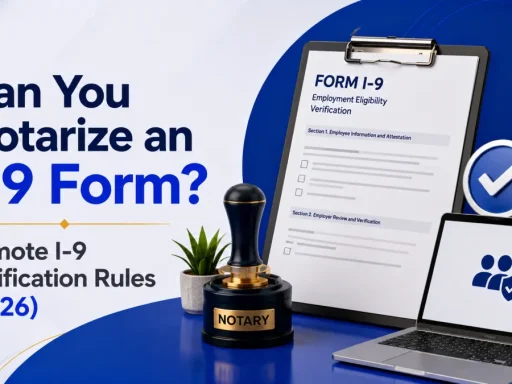

Quick answer: No, an I-9 is not notarized. A notary can complete Section 2 only as your employer’s “authorized representative,” acting as the employer’s agent, not as a notary, and they must never add a notary seal. Remote employees get verified either through an authorized representative or, if the employer uses E-Verify, through DHS’s remote video procedure.
What is Form I-9 (and why it’s not notarized)?
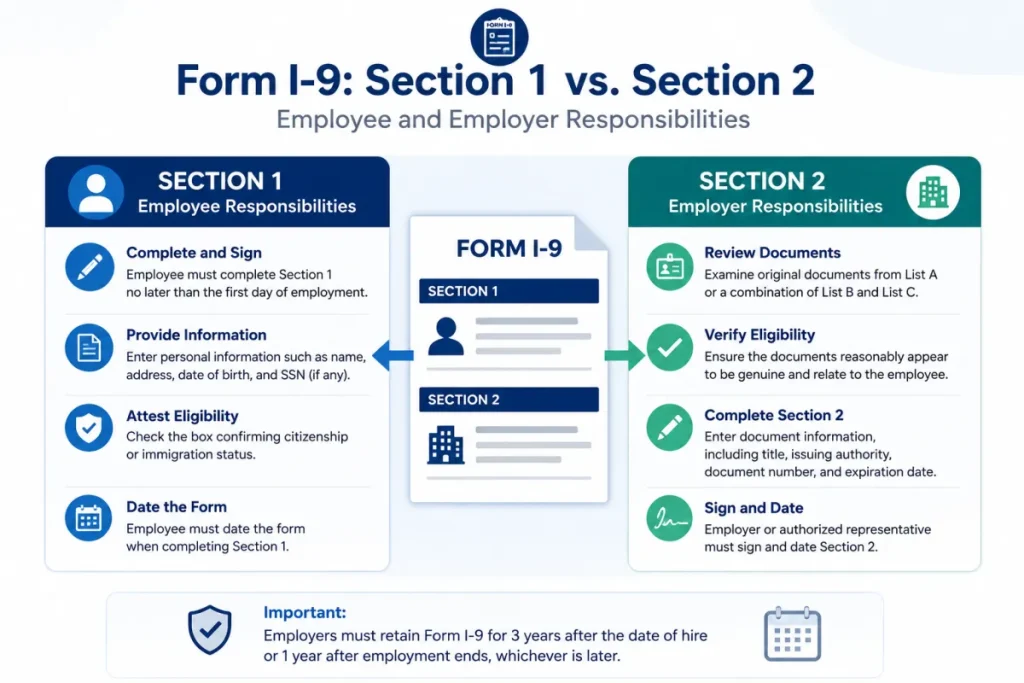
Form I-9, Employment Eligibility Verification, is a U.S. Citizenship and Immigration Services (USCIS) form every U.S. employer must complete for each new hire to confirm the worker’s identity and authorization to work. The employee fills out Section 1; the employer (or its representative) examines the worker’s ID documents and completes Section 2.
Nowhere in that process is a notarization involved. A notary’s job is to verify identity and witness a signature with an official seal. An I-9, by contrast, asks the reviewer to examine work-authorization documents and attest that they appear genuine, a different legal act entirely. That’s why USCIS guidance is explicit, when a notary helps with an I-9, a notary seal should not be added to the form.
If you’re a remote hire who was told to “get your I-9 notarized,” what your employer actually needs is someone to act as an authorized representative. New to remote notarization in general? Here’s how online notarization works for the documents that do need it.
Can you notarize an I-9 form?
No. You cannot notarize an I-9 form, because an I-9 does not call for a notarial act. What confuses people is that a notary public is allowed to complete Section 2, but in a completely different role.
USCIS allows an employer to designate an authorized representative to examine the employee’s documents and complete Section 2. That representative can be almost anyone the employer trusts: a personnel officer, a manager, an agent, or a notary public. When a notary takes this role, USCIS is clear on two points:
- The notary is not acting as a notary, they are acting as the employer’s agent.
- The notary must not affix a notary seal to the I-9.
So a notary can help you complete your I-9 remotely or in person, but the output is a properly completed Section 2, never a notarized, stamped document.
Who can complete your I-9 Section 2?
An authorized representative is any individual an employer designates, hires, or contracts with to complete, update, or correct Section 2 on the employer’s behalf. According to USCIS, that can include personnel officers, foremen, agents, or notaries public.
There’s one rule that matters more than who you pick, the employer is liable. USCIS states that the employer, not the authorized representative,is legally responsible for any violations connected to the form or verification process. A notary or friend who completes your Section 2 incorrectly creates risk for the employer, which is why employers should choose someone careful and give clear instructions.
Two ways to verify an I-9 remotely
Remote employees can be verified two ways. Only one of them is open to every employer.
| Dimension | Authorized representative | DHS remote (E-Verify) procedure |
|---|---|---|
| Who can use it | Any employer | Only E-Verify employers in good standing |
| How documents are seen | Representative examines originals in person | Employer examines copies + live video |
| Role of a notary | Notary can serve as the representative (no seal) | Not required, employer does it via video |
| Where it’s authorized | Nationwide (state rules vary) | At the employer’s E-Verify hiring sites |
| Recordkeeping | Completed Section 2 retained | Must retain copies of all documents + check the alternative-procedure box |
| Effective | Long-standing | Aug 1, 2023, no expiration |
Key takeaway: if your employer is not in E-Verify, true remote document examination by video isn’t available, you’ll need an in-person authorized representative (often a local notary). If your employer is in E-Verify, they can verify you entirely by video.
How a notary completes your I-9 as authorized representative: step by step
- Confirm your employer has designated the notary as authorized representative: Your employer should give written authorization and the partially completed Form I-9. This protects everyone.
- Complete Section 1 yourself first: As the employee, fill out and sign Section 1 no later than your first day of work. Don’t leave it for the notary.
- Bring your original, unexpired documents in person: Choose from the I-9 Lists of Acceptable Documents (for example, a passport, or a driver’s license plus a Social Security card). The representative must see originals, not copies.
- The representative examines the documents and completes Section 2: They confirm each document reasonably appears genuine and relates to you, then enter the details, sign, and date Section 2, without a notary seal.
- Return the completed form to your employer on time: Section 2 must be finished within 3 business days of your start date. The employer keeps the original I-9 in their records.
Do not let the notary stamp the I-9. A notary seal on an I-9 is a common error that can flag the form in an audit.
The DHS remote (E-Verify) alternative procedure: how it works
Employers enrolled in E-Verify in good standing may skip the in-person step using DHS’s alternative procedure, finalized July 21, 2023 and effective August 1, 2023 with no expiration. The employer must:
- Receive copies of the front and back of the employee’s documents.
- Hold a live video interaction with the employee to confirm the documents reasonably appear genuine and relate to them.
- Retain clear copies of every document examined for the full I-9 retention period.
- Check the alternative-procedure box in Section 2 on the current Form I-9 (dated 08/01/2023 or 01/20/2025).
This is the only DHS-sanctioned way to examine I-9 documents fully remotely. Details and the official rule are on USCIS Remote Examination of Documents and the E-Verify alternative procedure page.
Common I-9 mistakes that create liability
- Adding a notary seal: An I-9 is never notarized; the seal can flag the form.
- Using video verification without E-Verify: Only E-Verify employers may examine documents remotely by video. Everyone else needs in-person review.
- Missing the 3-business-day deadline: Section 2 must be completed within three business days of the start date.
- Examining photocopies in person: The authorized representative must see original documents (the copies-plus-video route is only for the E-Verify procedure).
- Assuming the representative is liable: The employer carries the legal responsibility for errors.
Special situations: remote hires, state rules, and reverification
- Fully remote employees: If your employer isn’t in E-Verify, the practical path is a local notary or other trusted person acting as authorized representative in person. Some notaries who train for online work also offer in-person I-9 representative services.
- State-specific rules: A few states publish specific guidance for notaries completing I-9s, California and Pennsylvania, for example. Because a notary acting as an authorized representative is stepping outside their notarial role, confirm your state’s position first via the state notarization requirements guide.
- When to get professional help: I-9 compliance is an employer obligation with real penalties. If you’re an employer unsure about remote verification, E-Verify enrollment, or reverification, consult an immigration or employment attorney, a notary or HR generalist can complete the form, but only counsel can advise on compliance strategy.
Conclusion
An I-9 is never notarized, so if someone told you to find a notary “to notarize your I-9,” what you actually need is a notary or other trusted person to act as your employer’s authorized representative and complete Section 2 (no seal, in person), or, if your employer uses E-Verify, a quick video verification under DHS’s remote procedure. Complete Section 1 yourself, present original documents, finish Section 2 within 3 business days, and skip the stamp. Get those right and the form holds up in an audit.
Need a commissioned notary to serve as the authorized representative for your Section 2, or any other document genuinely notarized online? Start on BlueNotary to connect with a vetted notary in minutes, 24/7, and keep your onboarding on schedule. Not sure which of your documents actually require a seal? Check how online notarization works first so you only pay for what you need.
Frequently asked questions
Can a notary notarize an I-9 form?
No. An I-9 is never notarized. A notary may complete Section 2 only as the employer’s authorized representative, acting as an agent rather than a notary, and must not add a notary seal.
Does an I-9 need to be notarized?
No. Form I-9 requires document examination and an attestation in Section 2, not a notarization. Adding a notary seal is incorrect and can flag the form in an audit.
Can a notary complete an I-9 remotely?
Not by video unless the employer uses E-Verify. A notary acting as an authorized representative must examine original documents in person. Only E-Verify employers may verify documents remotely under DHS’s alternative procedure.
Who can be an authorized representative for an I-9?
Anyone the employer designates, a personnel officer, manager, agent, or notary public. The employer remains legally liable for any errors the representative makes.
Can I do my I-9 verification online by video?
Only if your employer participates in E-Verify in good standing. They may then examine document copies plus a live video interaction, retain copies, and check the alternative-procedure box in Section 2.
Does the notary put a seal on an I-9?
No. When a notary acts as an authorized representative, USCIS guidance says they should not affix a notary seal to the Form I-9.
Who is liable if the I-9 is completed incorrectly?
The employer. USCIS holds the employer responsible for violations connected to the form or verification process, even when an authorized representative completes Section 2.